Español
 Português (Brasil)
 Français
 Deutsch
 Italiano
 Nederlands
 Polski
 Svenska
 Türkçe
 Русский
 日本語
日本語 한국어
한국어 简体中文
简体中文 Tiếng Việt
 Bahasa Indonesia
 繁體中文
繁體中文 Čeština
 Dansk
Dansk Norsk (bokmål)
 Suomi
Suomi Ελληνικά
 Română
 Magyar
 Українська
 ไทย
ไทย हिन्दी
 العربية
 עברית
עבריתOutbrain Section Blocking: Cut Wasted Spend Placement by Placement
Section blocking stops future spend on Outbrain publishers and sections that do not convert for you. Here's how to find the data, build a block list without guessing, and know when whitelisting is worth the reach you'll lose.


Section blocking on Outbrain means excluding specific publisher sections, or entire publishers, from serving your ads, so your budget stops paying for placements that do not convert for you. In Outbrain's Amplify dashboard you exclude them from the By Publisher or By Section reports (or in the campaign settings), for one campaign or for the whole account, and a January 2026 help update describes temporary as well as permanent exclusions. The dashboard reports spend and clicks by publisher and by section; whether a section actually drove conversions depends on your conversion tracking, so pass Outbrain's publisher and section macros into your tracking URLs before you judge anything.
If you've run an Outbrain campaign for more than a couple of weeks, you already know the symptom: total spend looks fine, aggregate CTR looks fine, but conversions cluster on a handful of publishers while a long tail of sites just burns budget. Section blocking is the fix. For the broader mechanics of how the network allocates that inventory in the first place, see how Outbrain works. Here's how to actually do it, not just the theory.
What section blocking does (and doesn't do)#
Outbrain serves your widget across a marketplace of publisher sites and, within many of those sites, specific sections (homepage, sports, entertainment, and so on). Outbrain's tracking macros can pass the publisher ID and name and the section ID and name with each click, so your tracker can attribute conversions at both levels. Exclusions work at either level: a whole publisher, or a single section of it.
What it does: stops future spend on the sites or sections you exclude. It's forward-looking only. Nothing retroactive happens to money already spent.
What it doesn't do: fix a bad campaign. If your creative is weak or your landing page doesn't convert regardless of placement, blocking publishers just moves the problem around instead of solving it. Treat section blocking as a pruning tool for an otherwise sound campaign, not a rescue plan for a broken one.
It also doesn't guarantee reach stays flat. Every publisher you block is inventory you can no longer win. Block aggressively on a small budget and you can choke delivery entirely. That tradeoff is the whole game.
Where to find the data you need#
Outbrain's dashboard breaks performance out by publisher and by section (the By Publisher and By Section reports). That is your starting point. Outbrain notes that performance data such as spend, clicks and conversions arrives with a 2-4 hour reporting delay, and your own conversion window may be much longer.
The bigger problem is usually attribution lag. A site can look fine on impressions and clicks and still be quietly terrible on conversion, because the report you're staring at hasn't caught up with your conversion pixel yet, or your pixel isn't segmenting by placement at all. Before you block anything, confirm your tracking actually passes site or section ID through to your analytics or affiliate network. If it doesn't, you're blocking based on vibes.
A second, optional input is competitive research: which publishers carried ads in your vertical, and when. If you are new to a vertical, captured placements can show where other advertisers' ads appeared and give you sections to watch in your own reports. They cannot show whether those placements converted for anyone, because a long-running ad may reflect brand budgets, testing, slow optimization or capture gaps rather than profit. Your own dashboard only shows your campaigns, so this outside view adds context, not a verdict on what to block.
Building your block list, step by step#
- Pull enough site- and section-level data. At low volume one week can be noise; two to four weeks smooths day-of-week effects, but the right window depends on your conversion volume and delay.
- Segment by spend tier, not just conversion count. A site with 2 conversions off $40 spend and a site with 2 conversions off $400 spend are not the same problem.
- Rank by cost per conversion, and only then look at raw volume.
- Set a hard threshold before you look at the data. An illustrative rule (an example, not a benchmark): exclude any section that has spent three times your target CPA without a conversion. If that section were really converting at your target, you would see zero conversions at that spend only about 5% of the time (Poisson arithmetic, ignoring conversion delay). Tie the spend floor to your target CPA rather than a fixed dollar amount: a $50 floor is less than one conversion's worth of spend when your target CPA is $100. Deciding the rule after you've seen the results is how bias creeps in.
- Exclude in batches, not one site at a time. Choose each batch from your own cost data rather than a fixed percentage, then reassess after another data cycle. Outbrain recommends starting with section exclusions per campaign and blocking whole publishers at account level only as a last resort, and its 2021 help article listed limits of 30 publishers and 100 sections per campaign; check the current limit in your account.
- Re-check on a schedule. Publishers rotate inventory and seasonal content changes what runs where, so a section that was poor in March can be fine in June. Outbrain's temporary exclusions (7, 14, 21 or 30 days, or a custom period) expire automatically, which makes re-testing easier.
- Watch delivery after each pass. If impressions or spend pacing drop sharply, you have blocked too much for your budget and bid; loosen the list. If the campaign runs on Conversion Bid Strategy, note that Outbrain recommends removing campaign-level blocks and manual section bids because they limit or override its optimization.
Whitelisting vs blacklisting: which one actually wins#
Blacklisting (excluding known-bad sites) is the default approach because it's low-risk: you keep almost all your reach and just trim the worst performers. See whitelist vs blacklist targeting for the underlying mechanics. It works well once you have enough historical data to know who the worst performers are.
Whitelisting (restricting delivery to a curated list of known-good sites) is more aggressive. It can cut reach sharply, by an amount only your own delivery data will show, in exchange for concentrating spend on placements that have converted for you. It suits a small, well-optimized offer with enough margin per conversion that reach matters less than efficiency, and it is the wrong call while a new campaign is still discovering what works. Check first whether your buying route supports it: Outbrain's programmatic (DSP) route advertises publisher allowlists and blocklists, while the Amplify help articles we reviewed describe exclusions rather than allowlists.
A common approach is to run blacklist-only while a campaign is new, then move to a hybrid: a core list of proven sites getting most of the budget, plus a smaller "exploration" budget left unrestricted so new performers can surface. We have no survey of how many buyers do this or when they switch.
| Approach | Reach impact | Best used when |
|---|---|---|
| Blacklist only | Minimal reduction | New campaign, still discovering winners |
| Hybrid (whitelist + exploration budget) | Moderate reduction | Campaign has 4+ weeks of data |
| Whitelist only | Large reduction | Mature campaign, tight margins, proven site list |
Common mistakes that waste the effort#
Blocking based on a single bad day. Publisher performance is noisy at low volume; one weird Tuesday shouldn't decide a site's fate.
Ignoring device and geo splits. A site can be strong on desktop and terrible on mobile, or vice versa. Blocking the whole site throws out the good half.
Forgetting to unblock. Block lists calcify. Advertisers build a list in month one and never revisit it, even as the marketplace and their own creative change. Stale blocks quietly shrink your reach for no ongoing benefit.
Treating blocking as a substitute for creative testing. If CTR is fine but conversion rate is universally weak across every publisher, the problem is your landing page or offer, not your placements. No amount of section blocking fixes that.
When to loop in your account manager#
If you work with an Outbrain account manager, ask what other breakdowns, brand-safety settings or category exclusions already apply to your account; self-serve accounts can reach Outbrain's DIY Customer Success team, which says it responds within 24 business hours. Like other native ad networks, Outbrain runs its own content review, and its guidelines note that publishers as well as advertisers can block pages or sources, so some filtering happens before your own list applies, and knowing what is already excluded changes how aggressive your own list needs to be. If you're comparing publisher quality across networks generally, our Outbrain ad spy guide covers how to research what has been running before you commit budget.
How OpenAdLibrary helps you decide what to block#
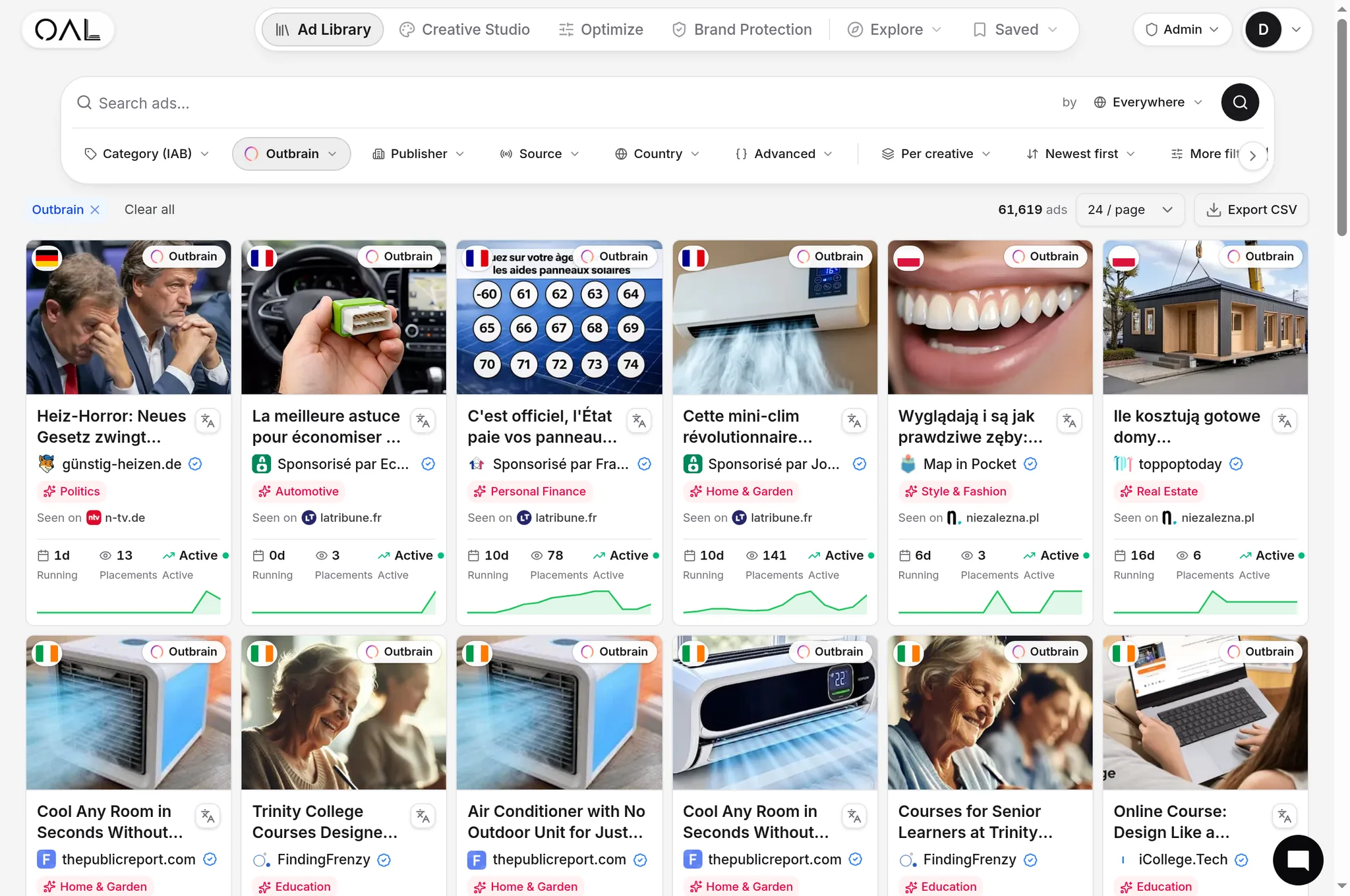
Section blocking works best when you start with a short list of sections to watch rather than a blank page. OpenAdLibrary's /spy/outbrain tool shows Outbrain ads we have captured, with the dates we observed them; on the free plan you see the 20 newest ads, and searching by advertiser, vertical or geo needs the Founders plan ($29.99 a month). A competitor's creative observed for weeks tells you it kept appearing in our captures, not that its placements convert or that the marketplace is working there. Use it to decide what to watch, and let your own conversion data decide what to block.
Before you block anything, get your tracking right. Confirm your conversion pixel actually fires per placement, understand how CPA varies by site tier before you set a threshold, and revisit the list on a schedule instead of once. Section blocking is maintenance, not a launch task, and treating it that way is what separates accounts that stay efficient from ones that slowly bleed budget on autopilot.