Español
 Português (Brasil)
 Français
 Deutsch
 Italiano
 Nederlands
 Polski
 Svenska
 Türkçe
 Русский
 日本語
日本語 한국어
한국어 简体中文
简体中文 Tiếng Việt
 Bahasa Indonesia
 繁體中文
繁體中文 Čeština
 Dansk
Dansk Norsk (bokmål)
 Suomi
Suomi Ελληνικά
 Română
 Magyar
 Українська
 ไทย
ไทย हिन्दी
 العربية
 עברית
עבריתHow Publishers Can Block Bad Ads (Tools & Network Controls)
No single tool blocks every bad ad. Here's the layered approach publishers actually use, from network blocklists to manual review to proactive advertiser checks.


Publishers block bad ads with a combination of network-side controls (category and advertiser blocklists, spend floors), third-party ad-quality vendors, and manual spot-checks of what's actually rendering on their pages, since no single tool catches everything on its own. The networks give you the levers; nobody else is going to pull them for you.
Why this is entirely on the publisher, not the network#
It's tempting to assume ad-quality enforcement is primarily the network's job, since they're the ones running the auction and taking a cut of the revenue. In practice, every major native network's terms of service put the responsibility for what ultimately appears on your pages on you, the publisher, not on them. Networks do run their own policy enforcement and advertiser vetting, but that vetting happens at onboarding and on a sampled basis, not on every single impression that renders on every publisher's site. The gap between "the network has a policy against this" and "this specific ad never actually serves anywhere" is where most bad-ad complaints originate, and closing that gap is squarely the publisher's operational responsibility.
Start with what "bad ads" actually means#
"Bad ads" covers several distinct problems that need different fixes:
- Malvertising: ads that redirect to malware, fake browser-update prompts, or auto-download files
- Clickjacking and forced redirects: ads that hijack the page or open unwanted pop-unders
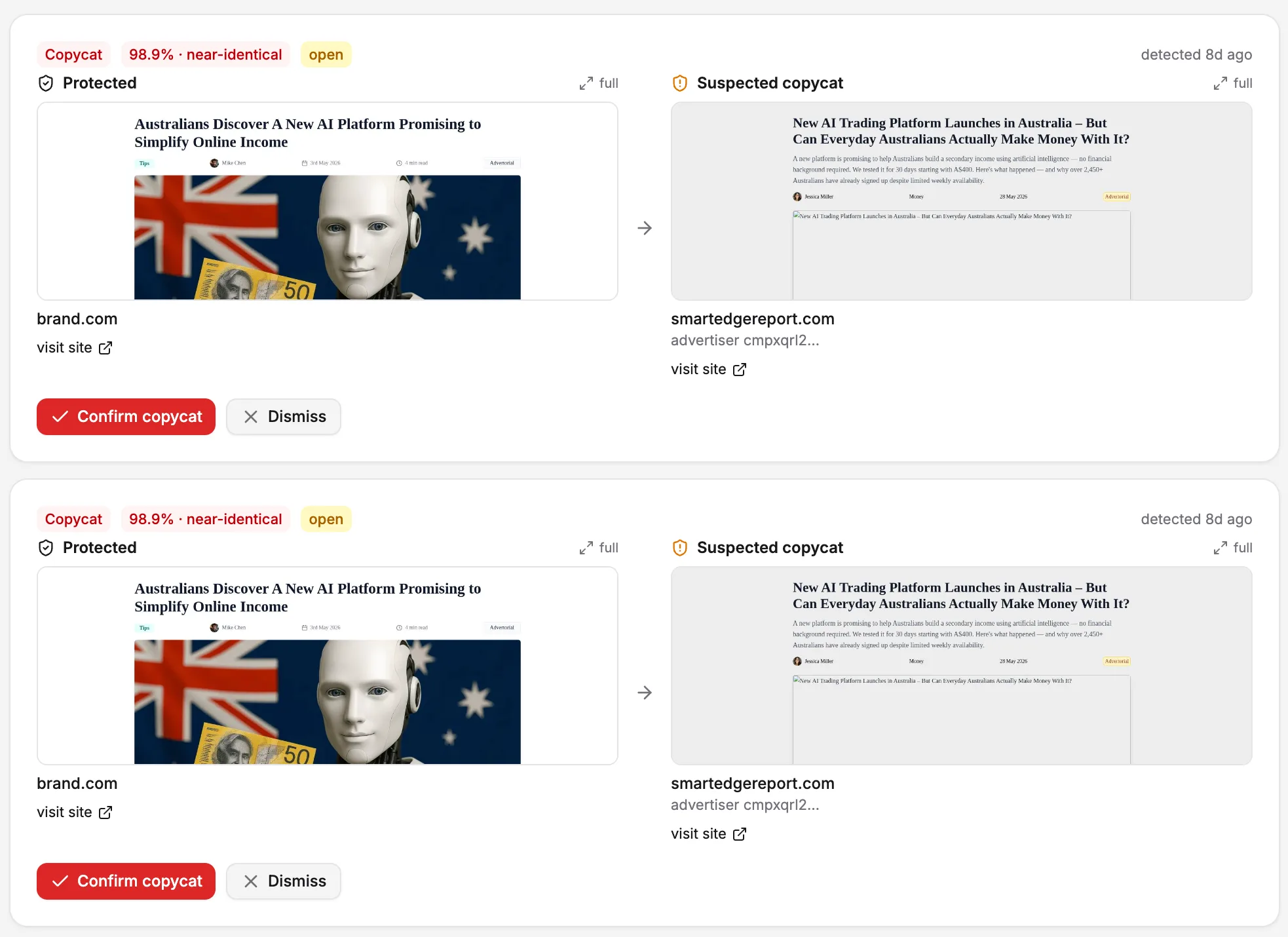
- Scam and copycat offers: fake celebrity endorsements, cloned brand pages, "government benefit" claims with no substance; see our full walkthrough of copycat landing pages
- Offensive or low-taste creative: gore-adjacent thumbnails, dating ads on family content, aggressive weight-loss claims
- Undisclosed sponsored content: ads formatted to look like editorial, which runs into FTC disclosure rules
A tool built to catch malvertising (malicious code execution) will not catch a scammy-but-technically-safe landing page. You need overlapping defenses, not one filter.
Layer 1: network-side controls#
Every major native network, Taboola, Outbrain, MGID, Revcontent, gives publishers a dashboard with:
- Category and vertical blocking, letting you exclude entire classes of advertiser (dating, weight loss, "shocking" entertainment)
- Advertiser and domain blocklists, so you can permanently exclude a brand or landing domain once you've flagged it
- Minimum CPC/CPM floors, which filter out the cheapest bulk demand tier, where the worst creative quality tends to concentrate
- Approval workflows for new advertisers in some programs, though this is inconsistent across networks and rarely catches everything before it serves
These controls are reactive by default: you typically discover a bad ad, then block it. Set a recurring calendar reminder to review your blocklist rather than waiting for a reader complaint to trigger the first pass.
Layer 2: third-party ad-quality and anti-malvertising tools#
Dedicated ad-quality vendors scan creative and destination URLs in real time for malicious code, forced redirects, and known bad actors, then block the impression before it renders. These sit alongside your ad network rather than replacing it, typically via a tag wrapped around your ad units. They're strongest against technical attacks (malvertising, clickjacking) and weaker against scammy-but-technically-clean offers, since a fake weight-loss claim with no malicious code often passes a security scan cleanly.
Layer 3: manual review of what's actually live#
Automated tools miss things, especially ad fraud designed specifically to evade them: cloaked landing pages that show a clean version to scanners and bots, and a different version to real visitors. The only reliable check against cloaking is a human periodically browsing your own site from a clean, unauthenticated session and looking at what's actually rendering, ideally from a few different geos and devices since serving often varies by both.
This is tedious, which is exactly why it gets skipped until a reader complaint forces the issue. Building it into a monthly routine, even 15 minutes, catches problems before they compound into a pattern of complaints.
Layer 4: know your advertiser before the ad ever serves#
A structural weakness of the reactive blocklist approach is that you're always one step behind: the bad ad has to serve at least once, on your site, in front of your readers, before you can block it. A more proactive approach is checking who's actually advertising on a network before you sign up, or spot-checking a category you're worried about.
OpenAdLibrary's ad intelligence platform indexes over 725,000 live native creatives across dozens of networks including Taboola, Outbrain, MGID and Revcontent, searchable by advertiser, vertical and network. Before turning on a new widget, or expanding into a vertical you're unsure about, you can search what's actually live in that category right now rather than relying on the network's sales pitch about "premium demand." It also helps after the fact: if a scammy ad slips through, you can look up the advertiser's other live creative to see if it's a one-off or a pattern worth a permanent block.
What to do when you find a scam ad#
Document it before you remove it: screenshot the creative, note the landing page URL and the network that served it, and record the date and approximate time. Then:
- Block the advertiser and domain in your network dashboard immediately
- Report it to the network directly, most have a dedicated abuse or policy-violation reporting flow
- If it involves fraud, impersonation, or a scam offer, consider reporting it to the FTC as well, which builds the public record even if it doesn't get your specific instance pulled instantly
- Check whether the same advertiser or a close variant is running on other networks you use; scam operators frequently run the same offer across multiple native networks simultaneously
Our guide on how to report a scam ad covers the documentation and reporting workflow step by step.
Common mistakes publishers make#
A few patterns show up repeatedly when a publisher's ad-quality setup fails:
- Setting blocklists once at launch and never revisiting them. New advertisers and offers enter a network's demand pool constantly; a blocklist from a year ago misses everything since.
- Relying entirely on the network's own approval process. Networks review new advertisers at onboarding, but ongoing creative served against an already-approved advertiser account gets far less scrutiny, which is exactly where drift happens.
- Only reviewing from one geo and device. Serving decisions frequently vary by location and device type; a desktop check from your own office network can look completely different from what a mobile visitor in another country actually sees.
- Treating a single ad-quality vendor as sufficient. Security-focused vendors catch malicious code well and scam-offer content poorly; you need both a technical filter and a human eye on actual creative.
- Not documenting incidents. Without a record of what you've blocked and why, you can't spot a pattern (the same advertiser rotating through slightly different domains, for instance) and you can't easily brief a new team member on what to watch for.
Setting up a recurring review routine#
The publishers with the fewest complaints tend to run something close to this cadence, adjusted to their size and available time:
- Weekly: a quick scan of any reader-reported issues (comments, social mentions, support emails) and immediate blocklisting of anything confirmed
- Monthly: a manual browse of your own site from a clean session, checking a few different pages, geos if you can simulate them, and devices, specifically looking at what's rendering in your ad units
- Quarterly: a full review of your blocklist and category settings against your current traffic mix and any new verticals your content has expanded into
- Ongoing: a standing habit of screenshotting and logging anything you block, so patterns become visible over time rather than staying anecdotal
This doesn't need to be elaborate. A shared spreadsheet with date, advertiser, network, and reason is enough to turn "we think this happens a lot" into an actual pattern you can act on.
The realistic bar#
No combination of controls gets you to zero bad ads; the demand pool in performance-marketing-heavy native inventory always includes some advertisers pushing the line. The realistic goal is minimizing frequency and severity: catching the worst offenders fast, reviewing proactively rather than only reactively, and treating your blocklist as a living document rather than a one-time setup task. Publishers who treat ad quality as an ongoing operational responsibility, not a settings toggle they configure once, see meaningfully fewer reader complaints over time.