Español
 Português (Brasil)
 Français
 Deutsch
 Italiano
 Nederlands
 Polski
 Svenska
 Türkçe
 Русский
 日本語
日本語 한국어
한국어 简体中文
简体中文 Tiếng Việt
 Bahasa Indonesia
 繁體中文
繁體中文 Čeština
 Dansk
Dansk Norsk (bokmål)
 Suomi
Suomi Ελληνικά
 Română
 Magyar
 Українська
 ไทย
ไทย हिन्दी
 العربية
 עברית
עבריתNative Ad Specs: Image Sizes & Headline Limits by Network
The image sizes, aspect ratios and headline limits for eight native ad networks in one table — plus the crop, thumbnail and composition realities the official spec pages leave out.

Native ad specs across the major networks converge on a simple recipe: a landscape image around 1200 px wide (16:9 or 1.91:1 depending on the network), a headline that survives truncation at roughly 60 characters, a visible brand or advertiser name, and an optional description line. Prepare one high-resolution master image at 1200 px wide or larger, export a 16:9 crop, a 1.91:1 crop and a 1:1 square, and you can upload to every network covered below. This page collects the working specs for the eight native networks buyers actually run — Taboola, Outbrain, Teads, MGID, Revcontent, MediaGo, the Microsoft Audience Network and Yahoo — plus the rendering realities that specs pages never mention.
One caveat before the table: networks revise creative requirements without much announcement. The values below are the commonly published recommendations at the time of writing — treat them as starting points and verify against each network's current documentation before a big upload. What does not change is the shape of the game: landscape master image, short headline, crop-tolerant composition.
Native ad specs by network#
| Network | Image (commonly recommended) | Headline guidance | Notes |
|---|---|---|---|
| Taboola | 16:9 landscape, ~1200×674; keep source ≥1000 px wide | Up to ~60 characters before truncation on most placements | Feed and mid-article widgets crop aggressively; check Taboola's help center for current minimums |
| Outbrain (Teads) | 1.5:1 landscape, ~1200×800 | Short headlines truncate less; ~60 characters is a safe working cap | Smartfeed placements render multiple crops from one asset |
| Teads (in-article) | Video-led; display/native assets in standard 16:9 | Keep overlay text out of the asset entirely | Merged with Outbrain; premium in-read placements have stricter editorial review |
| MGID | Landscape, roughly 16:9; upload ≥1000 px wide | Similar ~60-character working cap; localized headlines per geo | Widget sizes vary widely across its publisher base — test small before scaling |
| Revcontent | Landscape; some widgets render closer to 4:3 | Short and specific outperforms on its publisher mix | Preview both 16:9 and 4:3 crops before launch |
| MediaGo | 1.91:1 landscape, ~1200×628 | Concise headlines; description line often shown | Baidu's network; specs published in its advertiser docs |
| Microsoft Audience Network (MSN) | 1.91:1 ( |
Tight character limits on short headlines — write the short version first | Serves across MSN, Edge and Windows surfaces; see Microsoft Advertising help for current limits |
| Yahoo DSP (native) | 1.91:1 landscape, ~1200×627 | ~50-character headlines have long been the working convention | Bought through the DSP since Gemini was retired |
The pattern is obvious once it's in one table: every network wants roughly the same landscape asset, and the differences are crop ratios and character counts at the margins. A precise definition of what counts as a native ad spec is in the glossary; the network-specific guides linked above cover targeting and bidding, which vary far more than creative specs do.
The spec is not what renders: plan for the crop#
The published dimensions describe what you upload. What actually renders is whatever crop the publisher's widget template demands — a 300 px thumbnail in a right-rail, a full-width card on mobile, a square tile in a grid. This is where technically compliant creatives die:
- Keep the subject in the center ~70% of the frame. Edge-cropped faces and cut-off products are the most common self-inflicted wound in native. If the image only works at full 16:9, it fails in half its placements.
- Design for 300 px, approve at 1200 px. Most native impressions render small. Zoom your creative down to thumbnail size before approving it — if the subject isn't instantly legible, the click never happens.
- Avoid text in the image. Beyond looking like an ad (which kills native CTR), overlay text becomes unreadable at thumbnail size and violates some networks' creative policies outright.
- One master, many crops. Shoot or source images with enough margin that 16:9, 1.91:1, 4:3 and 1:1 crops all contain the full subject. This single habit removes 90% of per-network spec work.
Headline limits are ceilings, not targets#
Every network publishes a maximum character count; none of them publishes the more useful number, which is where truncation actually bites on mobile — usually well short of the maximum. Two practical rules:
- Write to 8–12 words and confirm the headline still carries its meaning if cut after word seven. The truncation point varies by placement, so front-load the substance.
- Don't chase the limit. A 60-character field is not a brief to write 60 characters. The long-running native headlines we index are consistently mid-length and specific — the working formulas are in native ad headlines that get clicks, and the craft guidance in native ad creative best practices.
Also budget for the parts of the unit buyers forget exist: the brand-name field (shown on most networks, character-capped, and part of review), and the description line (rendered on some placements only — never put load-bearing information there).
File formats and the practical details#
A few production notes that rarely make it onto spec sheets but regularly stall uploads:
- Stick to JPEG or PNG for uploads. They're universally accepted; newer formats and animated files are network-by-network territory, so check before building a workflow around them. Whatever you upload, networks re-encode and resize on delivery — which is one more reason sharp, high-resolution masters matter: they survive recompression, soft images don't.
- Watch file-size caps. Networks cap upload sizes, and a 20 MB TIFF from your designer will bounce. Export web-ready files — a well-compressed image at 1200 px wide lands comfortably under any cap without visible quality loss.
- Name files by variant, not by date. When you're running four crops of six concepts across five networks,
posture-insider-16x9.jpgsaves you from the wrong-crop-on-the-wrong-network mistakes that only surface in placement reports weeks later. - Keep a master sheet. One row per network with image ratio, headline cap, brand-field cap and the date you last verified the spec. Fifteen minutes of maintenance per quarter, and no launch-day surprises.
Check specs against what's actually running#
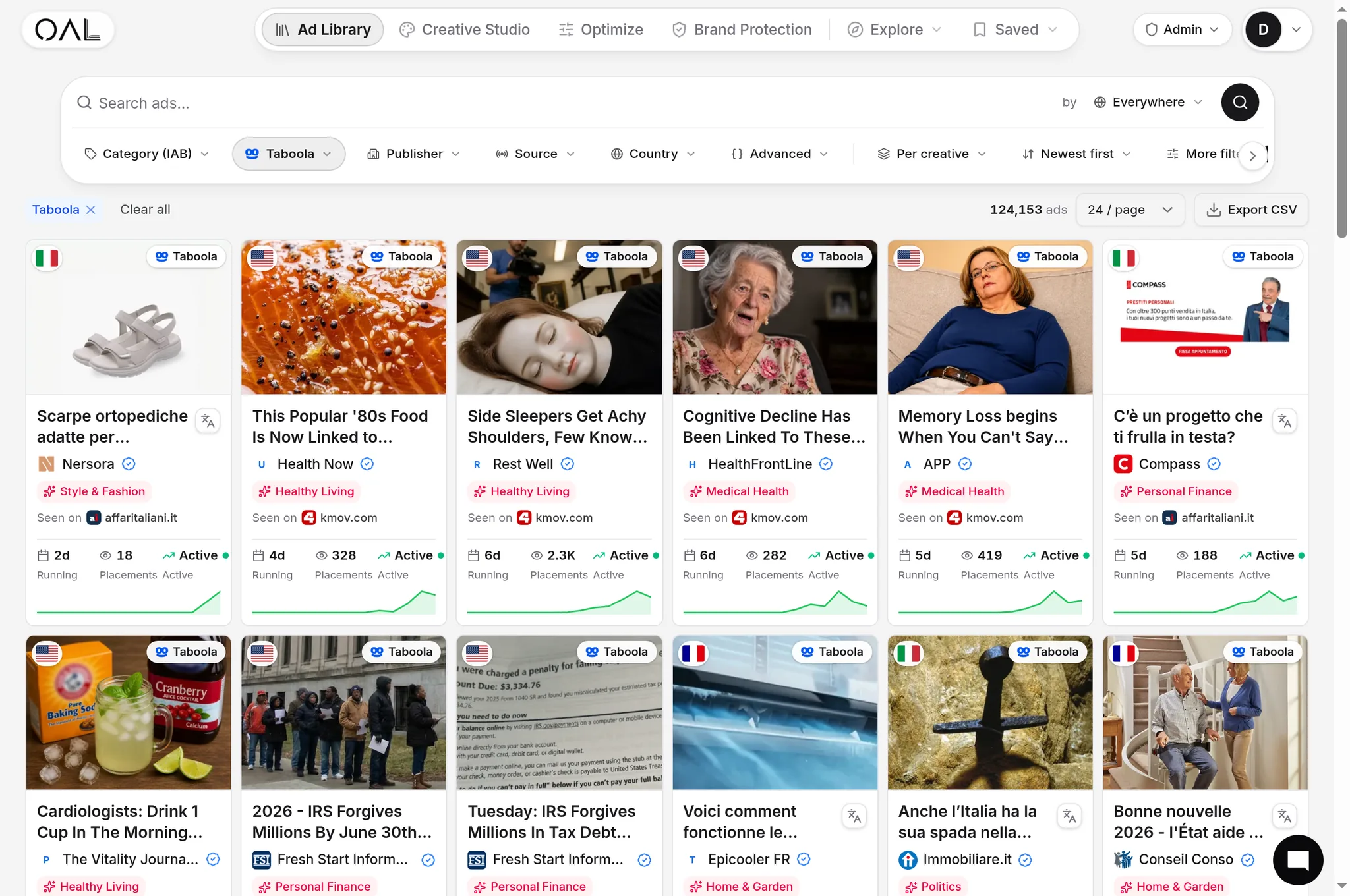
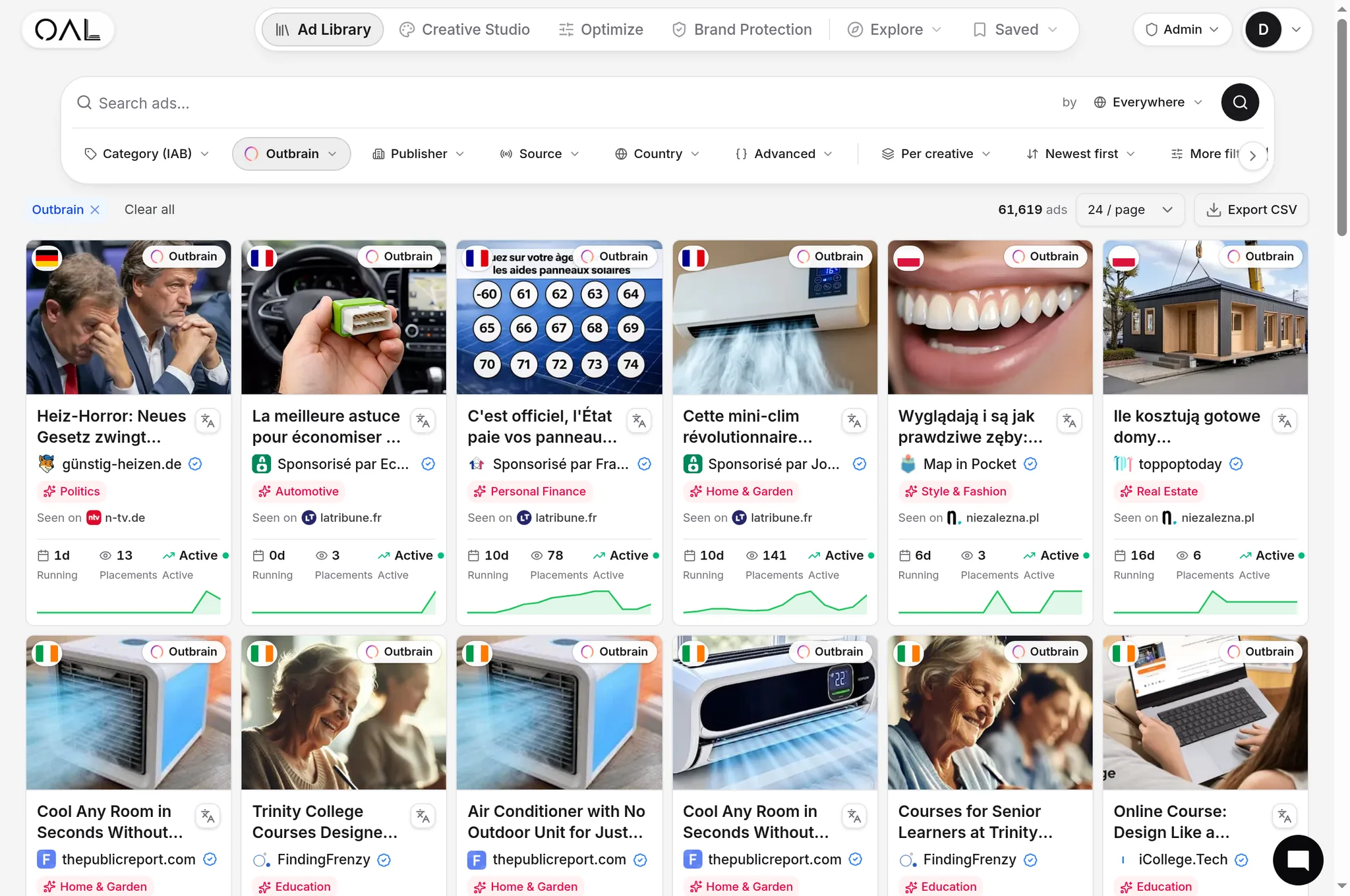
Published specs tell you what a network accepts. Live ads tell you what winning advertisers actually ship — real aspect ratios, real crop survival, real headline lengths. Before designing a batch, spend fifteen minutes in OpenAdLibrary's native ad spy tool looking at live creatives on your target network: the index holds 725,000+ live native ad creatives across 49 networks (July 2026), each stored as the full-quality original image rather than a screenshot crop, so you can inspect exactly what dimensions and compositions the longest-running advertisers use. Filter to your vertical, sort by longevity, and reverse the specs from ads that have demonstrably kept running — the same corpus-first method described in how to analyze winning native ad creatives.
This closes the loop the spec sheet can't: a technically valid 1200×674 upload that crops badly, reads slow at thumbnail size, or looks like display will pass review and still lose. Ads that survive weeks of spend have already solved rendering — copy their composition decisions, not just their dimensions.
Pre-upload checklist#
Run this before every creative batch:
- Master image ≥1200 px wide, subject centered, no edge-critical elements
- 16:9, 1.91:1 and 1:1 exports rendered and reviewed at thumbnail size
- No text overlay; no borders, logos or button-like elements in the image
- Headline 8–12 words, meaningful when truncated after word seven, under each network's cap
- Brand-name field consistent with the landing page (mismatches trigger review flags)
- Description line written as optional garnish, not required context
- Claims in headline and image defensible under the network's content policy — rejected creatives cost days, and repeated rejections put accounts at risk
- Current spec pages re-checked for any network you haven't uploaded to in the last quarter
Specs are the cheapest part of native advertising to get right and one of the most common places campaigns leak performance anyway. Standardize the master-asset workflow once, verify against live winners in your vertical, and creative production stops being the bottleneck.