Español
 Português (Brasil)
 Français
 Deutsch
 Italiano
 Nederlands
 Polski
 Svenska
 Türkçe
 Русский
 日本語
日本語 한국어
한국어 简体中文
简体中文 Tiếng Việt
 Bahasa Indonesia
 繁體中文
繁體中文 Čeština
 Dansk
Dansk Norsk (bokmål)
 Suomi
Suomi Ελληνικά
 Română
 Magyar
 Українська
 ไทย
ไทย हिन्दी
 العربية
 עברית
עבריתTaboola Targeting Options Explained: Geo, Device, Audiences & SmartBid
Taboola targeting is a different animal from social: geo, device, audiences, publisher controls and SmartBid. Here is what each lever does and the campaign structure practitioners actually run.


Taboola gives you eight campaign-level targeting levers: location (country, region or state, and DMA in supported markets), platform (desktop, smartphone, tablet), operating system, browser, audiences (retargeting, first-party lists, marketplace segments, and lookalikes), publisher controls (site-level blocking and per-site bid adjustments), day-parting, and bidding — fixed CPC or the automated SmartBid. What Taboola deliberately does not offer is social-style demographic and interest micro-targeting. On a native network, your creative, your landing page, and your publisher list do most of the audience selection; the targeting stack exists to control where your ads run and how much you pay when they do.
Taboola targeting is not Facebook targeting#
If you arrive from Meta, recalibrate first. Taboola ads run inside sponsored feeds and content-recommendation widgets on publisher article pages — news, lifestyle, entertainment, finance sites — and the network knows far less about any individual reader than a logged-in social platform does. There is no "homeowners aged 45–64 interested in solar" checkbox, and pretending otherwise is how new buyers burn their first budget. Three mental shifts:
- The publisher context is the audience. An article page about retirement planning pre-selects retirement-curious readers more reliably than any audience segment. You influence this through publisher-level bids and blocks, not a dropdown.
- The creative is the filter. A headline about sciatic nerve pain finds sciatica sufferers on a general news site all by itself. This is why native buyers spend most of their effort on hooks and angles — the mechanics are covered in how Taboola ads work.
- Targeting is mostly subtractive. You launch reasonably broad, then cut: geos that never back out, devices that break your funnel, publishers that eat clicks without converting.
Here is the stable core of the targeting stack. Taboola ships changes to campaign settings regularly, so treat this as the durable skeleton and check the current campaign-setup documentation for the exact options in your account:
| Dimension | What you can set | Practical use |
|---|---|---|
| Location | Country, region/state, DMA (market-dependent) | One campaign per geo or tight geo group |
| Platform | Desktop, smartphone, tablet | Always split desktop from mobile |
| Operating system | iOS, Android, Windows, macOS | Offer compatibility, app installs |
| Browser | Major browsers | Rarely used; cleanup tool |
| Audiences | Retargeting, first-party, marketplace, lookalike | Retargeting and exclusions first |
| Publishers | Block lists, per-site bid adjustments | Your main optimization surface |
| Schedule | Day and hour day-parting | Only after data shows patterns |
| Bidding | Fixed CPC or SmartBid modes | Control vs automation trade-off |
Geo targeting: the highest-leverage split#
Geography is the first thing to get right because it moves everything else: CPCs, competition density, language, and payout on the back end. The working rule among native buyers is one campaign per country (or per small group of same-language countries), never one worldwide campaign. Costs and auction pressure differ so much between a US desktop click and a Tier-3 mobile click that blending them makes your reporting unreadable and lets cheap low-intent traffic soak up the budget.
The classic Tier 1 / Tier 2 / Tier 3 framing applies directly. Tier-1 English geos (US, UK, CA, AU) carry the most demand and the highest CPCs; media buyers commonly report Tier-1 desktop CPCs roughly in the $0.20–$0.90 band, with mobile lower and Tier-2/3 geos at a fraction of that — your vertical and competition will move these numbers a lot, so treat them as orientation, not gospel. Our native CPC benchmarks break the picture down by network.
Sub-country targeting — state, region, DMA — matters for offers with genuine geographic economics: insurance (rates vary by state), home services, local lead-gen, and anything with licensing boundaries. For a national ecommerce offer, sub-geo targeting usually just fragments your data.
One trap worth naming explicitly: targeting geo and offer geo must agree end to end. If your lead-gen form only accepts US ZIP codes, every Canadian impression is a wasted click no matter how tidy "North America" looked in campaign settings; if your affiliate payout table pays differently per country, a blended campaign hides which geo is actually carrying the profit. Match each campaign's geo to the narrowest unit your economics care about, and verify the lander, the form and the payout all agree with it.
Two more field-tested details:
- Match language to geo, always. An English creative served in a French geo doesn't just convert badly — it drags your CTR down, which raises your effective cost across the campaign.
- Expand geo by cloning, not by editing. When a US campaign works, clone it into UK or AU with localized creative rather than adding countries to the working campaign. The playbook for that expansion is in scaling to new geos.
Device, OS and browser targeting#
Split desktop and smartphone into separate campaigns from day one. This is the least controversial rule in native media buying, for three reasons: CPCs differ substantially, landing-page behavior differs (mobile readers scroll advertorials differently and convert at different rates), and automated bidding learns device-specific patterns better when it isn't averaging across both.
Beyond the split:
- Tablet volume is small on most publishers. Most buyers either bundle it with desktop or exclude it until everything else is optimized.
- Operating system targeting earns its keep when the offer cares: app installs (obviously), carrier-billing flows, and offers where iOS and Android audiences monetize differently. For a standard lead-gen or ecommerce flow, run both and check the split in reporting before acting.
- Browser targeting is a cleanup tool, not a strategy. If reporting eventually shows one browser converting far below the rest — often a sign of in-app webviews or compatibility problems on your lander — exclude it then. Don't pre-optimize.
The honest hierarchy: geo and device splits are structural (do them at launch); OS and browser are reactive (act on data).
Audience targeting: what's actually available#
Taboola's audience layer is real but narrower than social buyers expect, and it works best as a supporting act:
- Retargeting. Install the Taboola pixel before you spend a dollar — it doubles as your conversion pixel and starts building site-visitor audiences immediately. Retargeting pools on native are smaller than on social, but the clicks are cheap relative to their conversion rate, and a retargeting campaign is usually the most profitable line item in the account.
- First-party audiences. Customer lists can be brought in where supported — useful mainly for suppression (exclude existing customers from prospecting) and for seeding lookalikes.
- Marketplace audiences. Third-party data segments you can attach for an additional cost. Test them skeptically: they narrow scale and raise effective CPC, and on native the creative usually filters the audience more cheaply than a data segment does. They earn their cost most often in B2B and high-ticket niches where wasted clicks are expensive.
- Lookalikes. Seeded from your converters once volume allows. Worth testing after the pixel has real conversion history, not before.
The practitioner stance: broad prospecting campaigns with strong creative, plus a retargeting campaign, plus converter exclusions. Audience layering beyond that should have to prove itself against the broad baseline.
Publisher targeting: block and adjust, don't hand-pick#
You cannot launch with a hand-picked list of premium sites on a fresh account and expect scale — publisher targeting on Taboola is fundamentally subtractive. Every campaign starts network-wide (within your geo/device settings), reporting shows per-site performance, and you shape traffic from there:
- Let spend accumulate per site. Native publisher traffic is long-tail; most sites will send you a handful of clicks. Resist blocking on tiny samples.
- Block decisively where data justifies it. A site that has consumed several conversions' worth of clicks with nothing to show for it goes on the blocklist. This single loop — review site report weekly, block the bleeders — is where most Taboola optimization ROI lives.
- Bid-adjust the middle. Sites that convert but at marginal cost get a downward bid adjustment instead of a block; proven converters can take an upward adjustment to win more of their inventory.
- Graduate to whitelist campaigns later. Once you know your twenty best publishers, a separate campaign targeting only them (with higher bids) is a scaling move — it concentrates budget where you have proof. Run it alongside, not instead of, discovery campaigns.
One caution: aggressive early blocking is the most common self-inflicted wound we see. Buyers nuke thirty sites in week one on statistical noise, then wonder why the campaign can't spend.
SmartBid vs fixed CPC#
SmartBid is Taboola's automated bidding: instead of paying your flat CPC everywhere, it adjusts the bid per auction based on the predicted likelihood of conversion, using your pixel data. Taboola has shipped several SmartBid modes over time (maximize-conversions and target-CPA-style variants among them) — check the current documentation for the exact set, because the lineup evolves.
When it works, it works for the boring reason all algorithmic bidding works: it prices individual impressions better than a human can. But it is only as good as the conversion signal feeding it, which gives you a clean decision rule:
- Start with fixed CPC if the account is new, conversion volume is thin, or you're running an arbitrage-style flow where you know your click value precisely and want hard cost control.
- Move to SmartBid once conversions flow consistently — the algorithm needs a steady diet of conversion events per campaign to price auctions meaningfully. Starving it and then blaming the algorithm is a rite of passage worth skipping.
- Don't thrash. Every bid-strategy change restarts learning. Pick a lane, give it enough spend to judge (measured in conversions, not days), then decide.
SmartBid also interacts with budget in a way fixed CPC doesn't: the algorithm needs room to explore, so a starved daily budget produces erratic delivery and slow learning. If you're going to automate, fund the campaign at a level where it can gather signal — several conversions' worth of expected spend per day is a reasonable floor — or stay on fixed CPC until you can.
Whichever mode you run, feed it honest events: fire the conversion on the action that matters economically (lead, sale), not on a pageview you can hit cheaply. Automated bidding optimized toward a cheap proxy event will happily buy you thousands of worthless proxy events.
Day-parting and scheduling#
Taboola supports scheduling campaigns by day and hour. Treat it like OS targeting — reactive, not structural. Run full weeks first; if reporting shows a consistent dead zone (common for B2B offers overnight, or call-based offers outside call-center hours), carve it out. Check which timezone your account reports in before setting schedules, and remember that day-parting shrinks scale — every hour you exclude is auctions you don't enter. For call-driven verticals it's essential; for most ecommerce and lead-gen it's a late-stage refinement.
A campaign structure that uses targeting properly#
Pulling it together, the standard account shape looks like a matrix of geo × device prospecting campaigns, plus a retargeting layer:
| Campaign | Geo | Platform | Bidding | Role |
|---|---|---|---|---|
| US-DESK-prospecting | US | Desktop | Fixed → SmartBid | Discovery + scale |
| US-MOB-prospecting | US | Smartphone | Fixed → SmartBid | Discovery + scale |
| US-ALL-retargeting | US | All | SmartBid | Harvest warm traffic |
| UK-DESK-prospecting | UK | Desktop | Fixed → SmartBid | Geo expansion |
Launch sequence that respects how the network actually behaves:
- Pixel installed and verified, conversion events firing on the economically meaningful action.
- One geo, split by device, broad publishers, fixed CPC in the researched range for your tier and vertical.
- Weekly publisher review: block bleeders, bid-adjust the middle.
- SmartBid once conversion volume supports it; whitelist campaigns once you have a proven-site list.
- Expand geo by cloning winners with localized creative.
The anti-pattern is stacking every lever on day one — narrow geo, narrow audience segment, day-parting, and a hand-tuned site list on a fresh account. Each restriction shrinks the auction pool and raises your effective cost before you have any data proving the restriction earns its keep. Full setup mechanics, screenshots and account walkthrough live in how to advertise on Taboola.
The targeting mistakes that burn first budgets#
Patterns we see repeatedly in accounts that fail their first month, all avoidable:
- Launching worldwide "to see what works." What works is that Tier-3 mobile clicks absorb the budget. Start with one geo you understand.
- Stacking every restriction on day one. Narrow geo plus a marketplace segment plus day-parting plus a hand-built site list, on an account with zero data. Each layer shrinks the auction pool and raises effective cost before anything has proven its value.
- Blocking publishers off ten-click samples. Native traffic is long-tail; statistical noise looks like signal for the first week. Set a spend threshold per site before you judge it.
- Turning SmartBid on with an empty pixel. The algorithm has nothing to learn from, delivery goes erratic, and the buyer concludes "SmartBid doesn't work."
- Optimizing targeting before creative. If CTR is poor, no geo or device split rescues the campaign — the creative is the targeting on native, and fixing it moves results more than any settings change.
- Ignoring language. English creative in non-English geos quietly wrecks CTR and, with it, your effective cost across the whole campaign.
Reverse-engineer competitors' targeting before you spend#
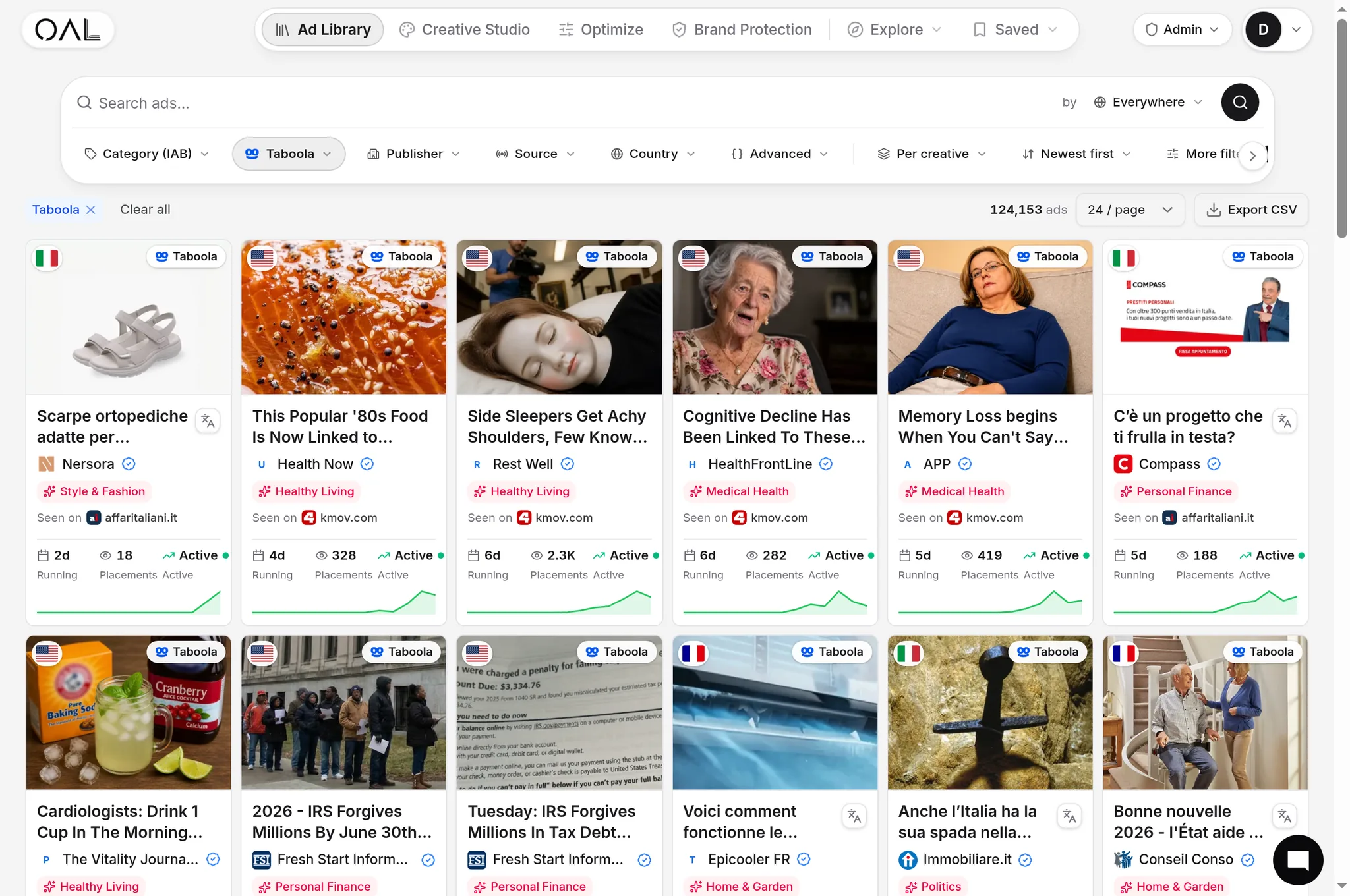
Every targeting decision above gets easier when you can see what incumbents in your niche already run. OpenAdLibrary's Taboola index — 206,000+ live Taboola creatives as of June 2026, out of 725,000+ across 49 networks — records the geo and device each ad was captured on, how long it has been running, and the landing page behind it. Pull up the advertisers in your vertical on /spy/taboola and read their targeting straight off the data: which countries they're captured in, whether they run desktop and mobile variants, which creatives have survived for 30+ days (a strong sign the geo/device/creative combination pays). The full research workflow is in the Taboola ad spy guide — ten minutes there typically saves a few hundred dollars of "testing" things the market has already answered.