Español
 Português (Brasil)
 Français
 Deutsch
 Italiano
 Nederlands
 Polski
 Svenska
 Türkçe
 Русский
 日本語
日本語 한국어
한국어 简体中文
简体中文 Tiếng Việt
 Bahasa Indonesia
 繁體中文
繁體中文 Čeština
 Dansk
Dansk Norsk (bokmål)
 Suomi
Suomi Ελληνικά
 Română
 Magyar
 Українська
 ไทย
ไทย हिन्दी
 العربية
 עברית
עבריתOutbrain Targeting Options: Interests, Lookalikes & Bid Strategies
Outbrain targeting in four layers — environment, audience, context, and supply — with the launch-day defaults, the options to earn with data, and the bid strategy pairings that keep the algorithm fed.


Outbrain targeting works on four layers: environment (country and region, device, operating system, browser), audience (interest segments, lookalikes built from your pixel data, and custom retargeting audiences), context (page-topic matching), and supply (publisher- and section-level bid adjustments and blocks). Each layer pairs with a CPC bid strategy — semi-automatic, where you set a base bid the system adjusts per placement, or fully automatic conversion bidding. The practical skill isn't knowing that these options exist; it's knowing which layers to constrain at launch and which to leave open so the algorithm can find conversions. This guide covers both.
One housekeeping note first: Outbrain merged with Teads in early 2025, and targeting features get renamed and reshuffled as the platforms consolidate. The layers below are the stable mental model; confirm current names and availability in the official help center before building. For the platform's overall mechanics, start with How Outbrain Works.
The four targeting layers at a glance#
| Layer | Options | Constrain at launch? |
|---|---|---|
| Environment | Geo, device, OS, browser | Yes — always split geo and device |
| Audience | Interests, lookalikes, custom/retargeting | Sparingly — audiences narrow reach and raise costs |
| Context | Page-topic / category matching | Optional — strongest for category products |
| Supply | Section bid adjustments, publisher blocks | Not at launch — optimize into it with data |
The pattern to notice: the layers you should lock down on day one are the cheap, structural ones. The clever-sounding ones (interests, lookalikes) are best earned with data, not guessed at launch.
Location targeting: one geo per campaign, always#
Outbrain targets by country, with finer resolution — state, region, DMA — available in major markets like the US. The rule that matters is structural, not technical: never mix countries in one campaign. CPCs, competition density, and creative response vary so much between geos that a blended campaign hides both your winner and your loser inside one average.
Tier your expansion deliberately: prove the funnel in one Tier-1 market, then translate the validated creative into cheaper Tier-2 and Tier-3 geos rather than testing everything everywhere at once. A lead-gen funnel proven in the US typically ports to the UK, Canada, and Australia with light localization — currency, spelling, institution names — before it needs the full translation-and-compliance work of non-English markets. Sequencing this way means each new geo launches with a creative angle that has already paid for its own validation. The economics of the expansion path — and how to find under-served geos before competitors crowd them — are covered in our guide to scaling native campaigns into new geos.
Regional targeting within a country earns its complexity in two cases: offers with genuine regional constraints (insurance products licensed by state, local services), and geo-specific creative — headlines that name the reader's state or city reliably outperform generic ones for local-intent offers, but they require per-region campaigns to run cleanly.
Device, OS, and browser targeting#
Device targeting (desktop, smartphone, tablet) is the second structural split. On native feeds, desktop and mobile behave like different channels: different auction prices, different reading contexts, different conversion behavior — so run them as separate campaigns you can bid independently, not as checkboxes inside one.
Operating-system targeting earns its keep in specific cases: app campaigns (obviously), but also offers where iOS and Android audiences convert at reliably different rates — a pattern lead-gen buyers see often enough to justify the split once data supports it. Browser-level targeting exists for edge cases; most buyers never need it, and every unnecessary constraint you add is reach you pay for in CPC.
Interest targeting: powerful, and usually premature#
Interest segments group users by demonstrated reading behavior across the publisher network — finance readers, home-improvement readers, travel intenders, and so on. It sounds like the obvious first lever. It usually isn't.
The trade-off: interest audiences shrink your auction pool, which raises effective CPCs, and on a network where the feed itself already does topical selection, the incremental precision is often smaller than buyers expect. Native creative is its own targeting mechanism — a headline like "Struggling to Hear Clearly?" filters the audience more precisely than any interest segment, for free. Launching broad with a self-qualifying creative and a conversion objective routinely beats launching narrow with generic creative.
Where interest targeting genuinely earns its cost: offers with a sharp category audience and creative that can't self-qualify (B2B software, niche financial products), and as a test dimension once a broad campaign has revealed your converting demographic.
Lookalike audiences: earned, not configured#
Lookalikes model new users against a seed — typically your pixel-based converters — and find feed users who resemble them. Two practical rules:
- The seed needs real volume. A lookalike modeled on a few dozen conversions is modeling noise. Build seeds from your highest-quality event that has meaningful volume (purchases if plentiful, otherwise qualified leads).
- They're a scaling tool, not a launch tool. By definition you can't build one until the pixel has data — one more reason to install and verify tracking before your first campaign spends a dollar, not after.
Once available, lookalikes are the cleanest way to scale a proven funnel beyond retargeting pools without reverting to fully cold traffic.
Custom audiences and retargeting#
Custom audiences on Outbrain are built from your tracking pixel: site visitors, page-level segments, event-based segments. The native-specific play worth stealing is funnel-stage retargeting:
- Advertorial readers who didn't click through → retarget with a different angle on the same offer. They consumed the story; the angle, not the interest, failed.
- Offer-page visitors who didn't convert → retarget with proof, urgency, or an alternative entry (quiz instead of advertorial).
- Converters → exclude from prospecting, use as the lookalike seed.
Retargeting pools on native are smaller than social buyers expect — feeds are a prospecting environment first — so treat retargeting as margin recovery on traffic you already paid for, not as a primary volume source.
Contextual targeting: the privacy-proof layer#
Contextual targeting matches your ads to page topics rather than user profiles — insurance ads on personal-finance articles, pet offers on pet content. Its stock keeps rising as third-party identity keeps eroding, because it needs no user data at all; the full mechanism is in our contextual targeting glossary entry.
When it wins: products with a natural content category, brand-safety-sensitive advertisers, and geos where consent friction thins audience data. When it disappoints: impulse products that convert on hook strength rather than topical relevance — for those, the open feed plus strong creative usually out-delivers a topically-fenced buy. A useful test for whether context will help: if you can name the article your ideal customer is reading when the problem is on their mind, contextual targeting has something to grab; if the honest answer is "anything," it doesn't.
Publisher and section controls: where campaigns are actually won#
A "section" is a specific feed on a specific publisher property, and it is Outbrain's real unit of placement quality. Two identical campaigns diverge entirely on section curation:
- Bid adjustments let you pay more where conversions live and less where they don't, section by section, instead of one blended CPC everywhere.
- Blocking removes sections that spend without converting. Expect to build your block list continuously — publisher quality follows a long-tail distribution, and a handful of sections quietly eating budget is the default state of an unmanaged campaign, not the exception.
- Whitelisting (running only named placements) is powerful for scaling proven winners, though availability varies by account type — ask your rep.
Work the section report weekly against your whitelist/blacklist strategy. Section IDs and publisher identifiers are also how you connect your own reporting to what you observe competitors running — more on that below.
Bid strategies: pairing automation with targeting#
Outbrain bidding is CPC-based with two postures layered on top: semi-automatic (you set a base CPC; the system adjusts it within bounds per placement) and fully automatic conversion bidding (the system chases conversions or a target cost). Which to pair with which targeting:
- New account, no conversion history → semi-automatic, broad environment targeting, no audience layers. You keep cost control while the pixel accumulates signal.
- Steady conversion flow → test fully automatic bidding against your manual campaign. Automation with rich signal usually wins; automation with sparse signal thrashes.
- Tight audience layers + automatic bidding is the combination to avoid early: a narrow audience starves the algorithm of the very conversion volume it optimizes on.
CPC expectations: media buyers commonly report Tier-1 desktop CPCs from roughly $0.20 to $0.90 on premium native feeds, mobile typically lower — practitioner ranges, not official rates, and your vertical moves them substantially. Cross-network context: native CPC benchmarks.
How targeting decisions show up in your CPC#
Every targeting choice is also a bidding choice, because each constraint changes the auction you enter:
- Each layer you add shrinks the pool. Geo × device × interest × contextual category multiplies restrictions; the remaining inventory is scarcer, and scarcity plus competition shows up directly as a higher clearing price. If your effective CPC looks far above benchmark, audit the targeting stack before blaming the network.
- Premium sections price like premium sections. The best-converting feeds on marquee publishers attract every sophisticated buyer in your vertical. Sometimes the second tier of sections converts nearly as well for meaningfully less — the section report, not intuition, tells you which.
- Creative quality is a discount. Feed platforms reward engagement: creatives that earn clicks at a healthy rate effectively pay less for comparable delivery. Broad targeting plus a self-qualifying, high-engagement creative frequently produces a lower cost per conversion than surgical targeting wrapped around a mediocre ad.
- Starved delivery masquerades as "no inventory." Over-constrained campaigns with modest bids often just stop serving. Loosen a layer or raise the bid before concluding the audience doesn't exist.
The uncomfortable summary: most CPC problems on native are self-inflicted through over-targeting, and most CPC advantages are earned in the creative, not the settings.
Common Outbrain targeting mistakes#
The recurring failure patterns, from most to least expensive:
- Stacking audience layers at launch. Interests plus lookalike plus contextual on a fresh account triples your constraints and starves both delivery and the bidder's learning — while tripling your effective CPC. Constrain structure (geo, device), not audience, on day one.
- Blended geo campaigns. One campaign spanning the US, UK, and Australia reports a single average that no individual market actually produced. Every downstream decision made on that average is wrong somewhere.
- Copying social-platform habits. Buyers arriving from Meta reflexively hunt for detailed demographic and interest stacking. Native feeds select audiences by context and creative; the equivalent skill here is placement curation, which has no Meta analogue and therefore gets skipped.
- Blocking sections on thin data. A section with four clicks and no conversion isn't a bad section; it's an unmeasured one. Block on meaningful spend without results, not on first impressions — a block list built in week one from noise permanently excludes inventory that might have carried the campaign.
- Retargeting windows set and forgotten. Native retargeting pools are small; a stale window either burns budget re-chasing cold visitors or expires warm ones too early. Match the window to your sales cycle and revisit it once you see real lag data between first click and conversion — the same logic that governs your attribution window.
Recommended stacks by campaign type#
- Affiliate / lead-gen, new account: one geo, one device, no audience layers, semi-automatic bids, 5–10 self-qualifying creatives, aggressive weekly section blocking.
- DTC ecommerce: geo + device splits, broad launch, retargeting layer from day one (advertorial readers → offer page), lookalikes once purchases seed them, then automatic bidding.
- B2B / SaaS: contextual targeting on business content plus interest layer, desktop-weighted, higher CPC tolerance, lead-magnet funnel.
- Scaling a proven winner: whitelist top sections, lookalike audiences, automatic bidding toward target cost — and duplicate into the next geo tier with translated creative.
Notice what all four stacks share: the audience sophistication arrives in stage two, funded by stage-one data. The launch configuration is nearly identical across use cases because the launch job is identical — buy clean, readable signal as cheaply as possible.
Steal targeting that's already validated#
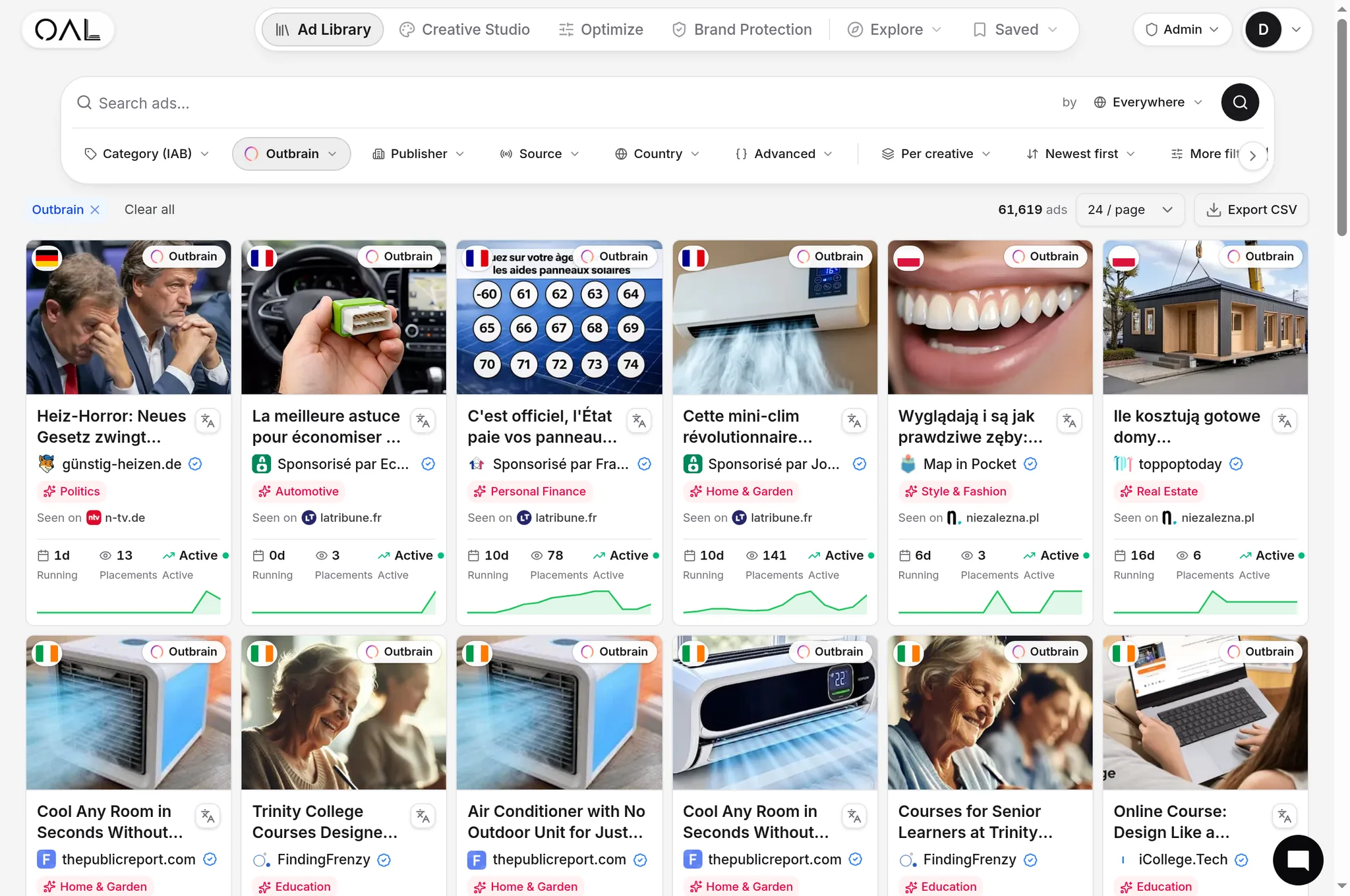
Every targeting decision above has already been made — successfully — by the advertisers surviving on the network right now, and their choices are observable. OpenAdLibrary's index holds 108,573 live Outbrain creatives (June 2026) with the geo and device each was captured on, observed run times, and traced landing pages. Pull the 30-day survivors in your vertical in the Outbrain spy tool, and their footprint answers your setup questions: which geos they run, whether they split desktop and mobile creative, what funnel receives the click. The full research workflow is in our Outbrain ad spy guide.
Targeting on Outbrain rewards restraint: lock the structural layers, launch broader than feels comfortable, let self-qualifying creative do the audience work, and spend your sophistication on sections and retargeting — where the data, not the dropdown menus, tells you what to do.