Español
 Português (Brasil)
 Français
 Deutsch
 Italiano
 Nederlands
 Polski
 Svenska
 Türkçe
 Русский
 日本語
日本語 한국어
한국어 简体中文
简体中文 Tiếng Việt
 Bahasa Indonesia
 繁體中文
繁體中文 Čeština
 Dansk
Dansk Norsk (bokmål)
 Suomi
Suomi Ελληνικά
 Română
 Magyar
 Українська
 ไทย
ไทย हिन्दी
 العربية
 עברית
עבריתHow to Use the Meta Ad Library for Competitor Research
The Meta Ad Library is free and requires no login, but it hides spend and targeting for ordinary commercial ads. Here's how to search it properly and where its real limits are.


The Meta Ad Library (facebook.com/ads/library) is a free, public tool: pick a country and ad category, search a Page name or keyword, and it lists every ad a Page is currently running across Facebook and Instagram, with the actual creative, when it started running, and which countries it's targeting. No login is required, and for most commercial advertisers it shows all active ads, not just political ones.
That's the core workflow in one paragraph. The rest of this covers the search filters that actually matter, what the tool shows differently for political ads versus ordinary commercial ones, and its real limitations for competitive research.
Step-by-step: searching the Meta Ad Library#
- Go to facebook.com/ads/library.
- Choose "All ads" as the category (not "Ads about social issues, elections or politics," which is a separate, more restrictive search).
- Select the country you want to search; results are country-specific, so a global brand may need several searches to see its full footprint.
- Search by Page name if you know it, or by a keyword if you're trying to find a Page you don't have the exact name for.
- Browse results. Each entry shows the creative (image, video or carousel), the ad's start date, and which Page is running it.
- Click into an ad for platform placement details (Facebook Feed, Instagram, Reels, Marketplace, etc.), where available.
What "All ads" vs. political ad search actually shows you#
Meta's Ad Library was originally built for political and social-issue ad transparency, which is why the two categories still behave differently:
- Political/social-issue ads show spend ranges, impression ranges, and detailed demographic breakdowns (age, gender, region) of who saw the ad, because regulatory pressure specifically required that disclosure.
- All other commercial ads show the creative, start date and targeted countries, but not spend, impressions or audience demographics.
This means for the vast majority of competitive research (a DTC brand's product ads, a SaaS company's lead-gen creative), you get to see exactly what they're running and since when, but not how much they're spending on it or precisely who they're targeting. That's a meaningfully different (and more limited) dataset than what political researchers get from the same tool.
What to do when a competitor's Page seems to be missing ads entirely#
If a search comes back empty for a brand you know is actively advertising, check three things before concluding they've paused everything. First, confirm you searched "All ads" and not the political/issue category by mistake, since the two searches use separate interfaces and don't cross-reference each other. Second, check whether the brand advertises through a Page with a different name than its public consumer brand, common when an agency, distributor or regional subsidiary manages the account. Third, try a broader keyword search rather than an exact Page name match, since minor punctuation or naming differences between how you'd type the brand and how their Page is actually registered can produce a null result even though the Page and its ads exist.
Useful search techniques#
- Search the Page, not the brand name, if they differ. Some advertisers run ads under an agency's or holding company's Page rather than their consumer-facing brand name.
- Check multiple countries separately. Results are scoped per-country, so a brand running different creative in the US versus the UK or Australia won't show up together in one search.
- Sort by start date where the interface allows it, to see what's newest versus what's been running longest; a long-running ad is one of the more reliable signals that it's still converting for the advertiser.
- Use the platform filter to separate Facebook-only creative from Instagram-specific or Reels-specific formats, since creative style often differs meaningfully between them.
The tool's real limitations#
- No spend or impression data for ordinary commercial ads. You'll never see budget figures unless the ad falls into the political/issue category.
- No targeting detail for commercial ads. You can see the ad ran in a given country, not who within that country it was shown to.
- Page-based, not brand-based. If a competitor runs ads through several different Pages (regional subsidiaries, sub-brands, an agency account), you have to know to search each one; there's no single lookup that aggregates a company's full Meta presence automatically.
- No historical archive beyond active or recently active ads. Ads that stopped running a while ago typically drop out of search results, so it's not a permanent record you can go back and check months later.
None of that makes it a bad tool, it's simply built for a narrower purpose (transparency and accountability) than full competitive intelligence, and it's worth knowing the boundary before you rely on it for a research deliverable.
Where the gap is: everything Meta doesn't run#
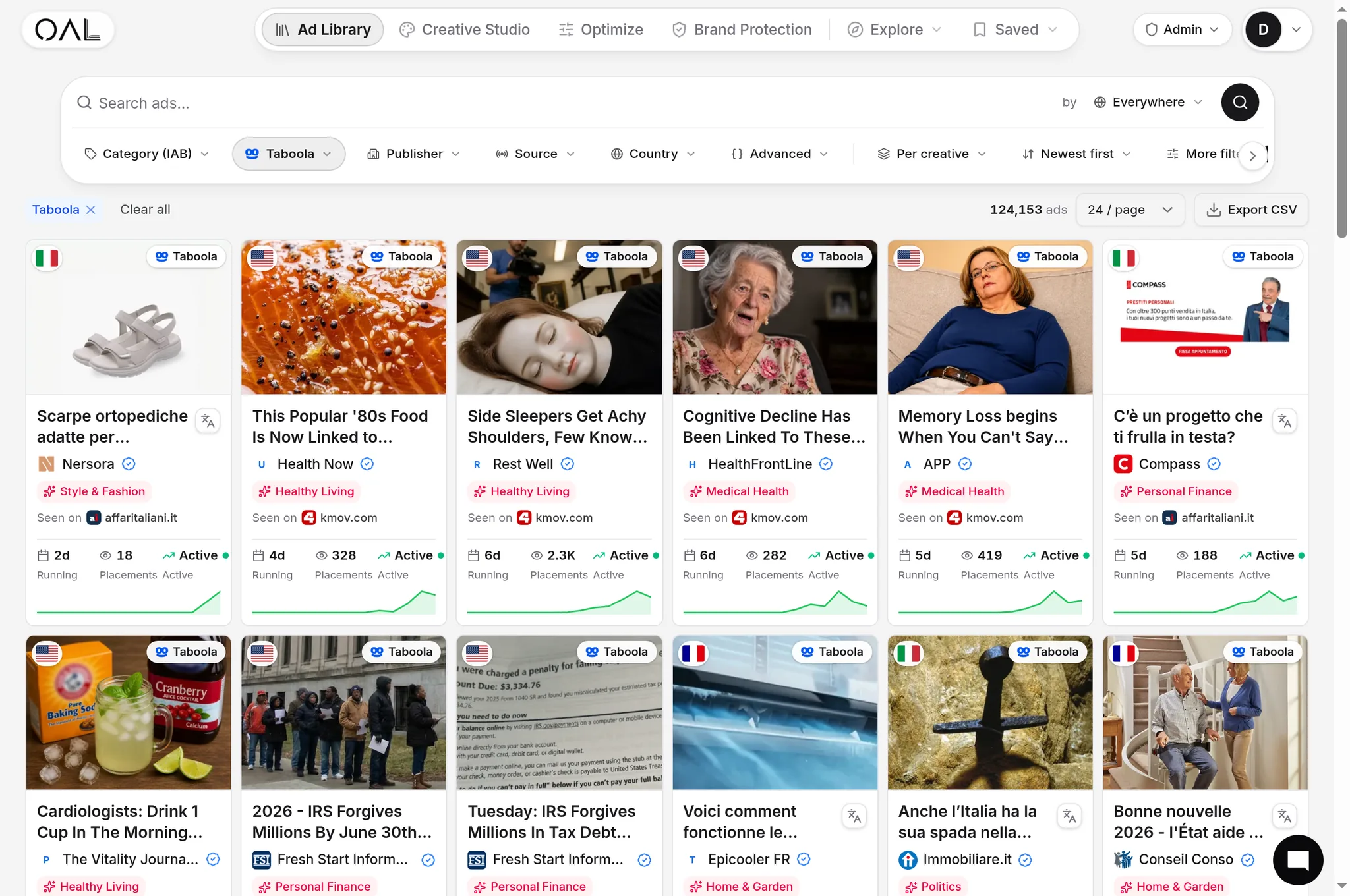
Meta's library is scoped entirely to Facebook and Instagram. If a competitor also runs native, content-recommendation-style ads (the "you might also like" widgets under articles on publisher sites, served through networks like Taboola, Outbrain or MGID), none of that shows up here, because those networks aren't Meta inventory and don't publish an equivalent public library at all. For a lot of DTC and lead-gen advertisers, native is a meaningfully sized channel that competitive research built solely around the Meta Ad Library will simply miss entirely; our guide on diversifying beyond Meta ads covers why that channel matters and how advertisers commonly split budget between the two.
If you've already exhausted what the Meta Ad Library shows and want to compare it against dedicated tools built for deeper competitive research (paid platforms that add filtering, alerting and longevity tracking on top of what Meta exposes natively), our roundup of Meta Ad Library alternatives compares eight options, free and paid.
Why the political-ad and commercial-ad experiences diverge so much#
It's worth understanding the history behind the split, because it explains why the tool feels uneven depending on what you're searching. Meta built the Ad Library initially in response to scrutiny over election interference and political ad targeting, and the detailed spend, impression and demographic disclosure requirements followed regulatory pressure specifically aimed at that category. Ordinary commercial advertisers were folded into the same public search interface later, but without the same disclosure obligations, since the underlying pressure that created the tool was never really about DTC product ads or SaaS lead-gen creative. That's why you can see a shoe brand's exact ad creative but never their budget, while a political campaign's ad in the same search interface shows a full spend range.
Reading creative patterns even without spend data#
Even without budget numbers, the Meta Ad Library still tells you something useful if you look at the right signals. An ad's start date, cross-referenced against today's date, tells you roughly how long it's been running, and a long-running ad is one of the more reliable proxies for "this is still converting" in performance advertising generally, the same logic that applies to ad longevity signals on native networks. Similarly, if a Page is running many creative variations of the same underlying offer simultaneously, that's usually a sign they're actively testing angles rather than running a single settled campaign, useful context even without knowing exact spend.
Combining Meta research with native ad research#
A thorough competitor audit checks both surfaces: Meta's own library for social creative, and a native-specific index for the content-recommendation side most brands overlook. OpenAdLibrary's ad intelligence platform tracks live native creative across 49 networks including Taboola, Outbrain and MGID, the exact gap the Meta Ad Library leaves open. Checking both gives you a genuinely complete read on a competitor's paid creative mix rather than half of it.
The bottom line#
The Meta Ad Library is free, requires no login, and is the correct first stop for seeing a competitor's Facebook and Instagram ads: search the Page, pick the country, browse the creative and start dates. It won't show spend or targeting for ordinary commercial ads, and it covers Meta's own inventory only, nothing running on native or other ad networks. Pair it with a native-specific tool if that channel matters for the competitor you're researching, since most do run there too.