 Español
 Português (Brasil)
 Français
 Deutsch
 Italiano
 Nederlands
 Polski
 Svenska
 Türkçe
 Русский
 日本語
日本語 한국어
한국어 简体中文
简体中文 Tiếng Việt
 Bahasa Indonesia
 繁體中文
繁體中文 Čeština
 Dansk
Dansk Norsk (bokmål)
 Suomi
Suomi Ελληνικά
 Română
 Magyar
 Українська
 ไทย
ไทย हिन्दी
 العربية
 עברית
עבריתHow to Find Out What Ads Your Competitor Is Running (Step by Step)
A practitioner's walkthrough for finding the ads a competitor is actively running: search by brand or domain to surface live native creatives, the networks behind them, and the landing page each ad points to, plus exactly where Meta and TikTok go dark.


You can find out what ads a competitor is running in about ten minutes. Not by squinting at their website and guessing. By reading the ads they've already put in public, on publisher pages, in transparency archives, and in the native feeds where most of the spend actually goes.
The catch is that "their ads" are scattered across a dozen places: Meta's library, Google's transparency center, TikTok's commercial archive, and the native placements on publisher sites that no single platform library covers well. This guide walks a domain-and-brand-first method that pulls a competitor's live creatives, the networks they buy on, and the landing page behind every ad. It also tells you exactly where Meta and TikTok go dark, because that's where most people waste an afternoon.
I'm writing this for practitioners: media buyers, affiliates, marketing analysts who want signal, not a feature tour. If you're new to the wider discipline, the pillar How to Spy on Competitor Ads in 2026 (Native, Display & Social) frames the whole landscape. This is the hands-on search walkthrough that sits underneath it.
For scale: the OpenAdLibrary index currently holds 589,036 captured creatives from 25,933 advertisers across 42 networks, with 926,259 landing-page captures behind them (OpenAdLibrary index, June 2026). That last number matters more than the creative count, and I'll explain why.
The fastest way to find a competitor's ads#
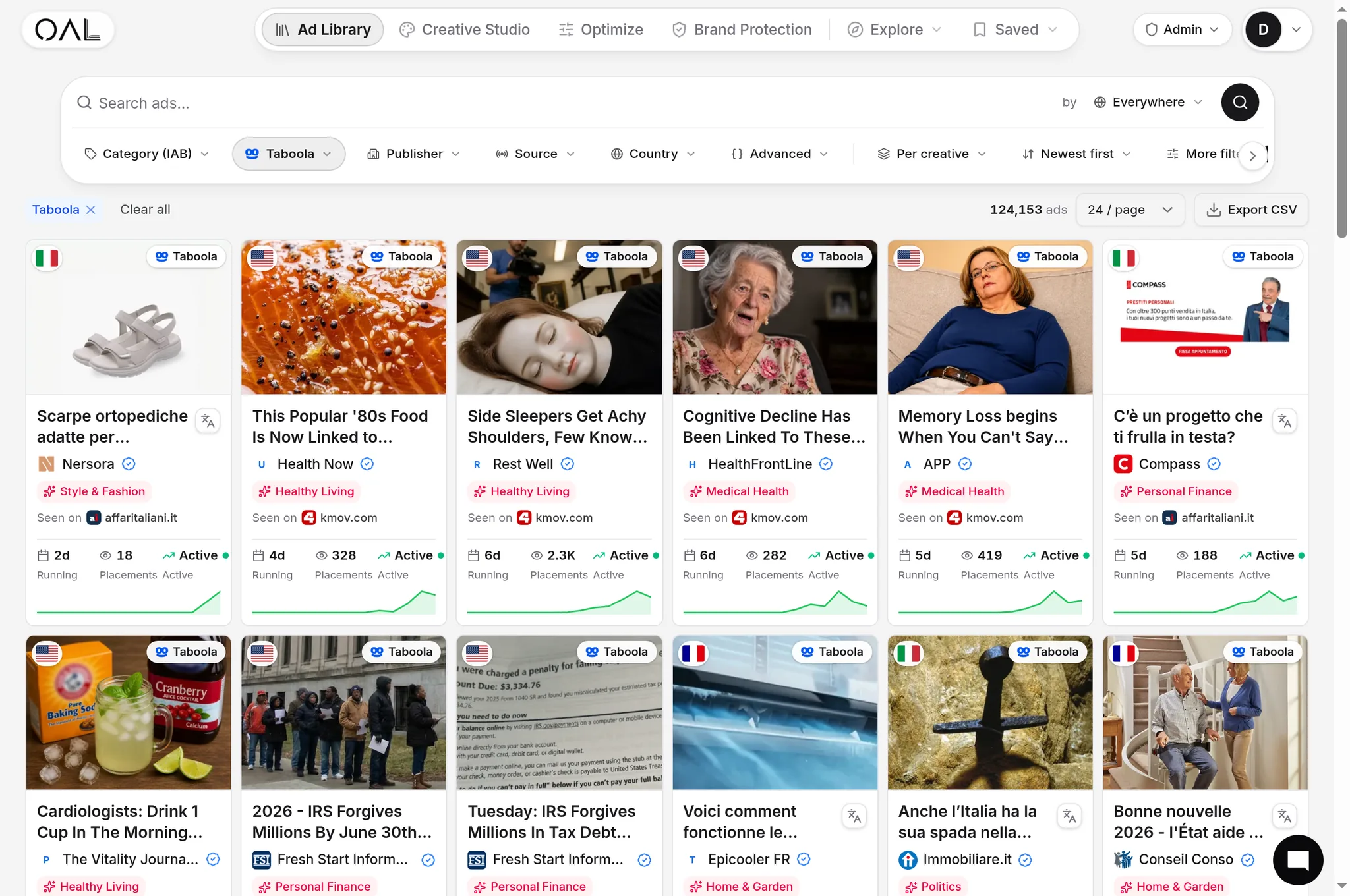
To find what ads a competitor is running, search by their root domain (for example, brand.com) or brand name inside an ad-transparency tool. Domain search is the more reliable of the two. It returns every captured creative whose click resolves to that site, across networks and even across affiliates, surfacing the live creatives, the networks they buy, and the landing page each ad points to in a single view.
Here's why domain beats brand name as the primary key. A single company rarely advertises under one tidy label. They run multiple ad accounts, sub-brands, seasonal promos, and agency-managed campaigns. Affiliates push the same offer under names you'd never think to type. The one thing they all share is where the click lands. Anchor the search on the destination and the fragmentation collapses into one advertiser view.

That ad above is a real one we captured: a finance angle running 13 days on Taboola under "Fresh Start Information." Finance is the single biggest vertical in the index, 17,232 creatives, just ahead of insurance (15,629) and health (14,895). If you compete in any of those, your rivals are almost certainly running native, and a lot of it.
Step 1: Decide what "competitor" means for this search#
Before you type anything, get specific about whose ads you actually want. There are three useful definitions, and they pull very different results.
- The brand itself. The company's own owned-and-operated campaigns. Search the primary brand name and the apex domain.
- The offer. A specific product, supplement, course, or SKU. Search the product landing-page domain or the offer's distinctive claim. This catches affiliates and resellers, not just the brand.
- The category. Everyone running ads in a niche. Search a publisher, a network, or a recurring angle ("hearing aids," "IQ test") rather than a single brand.
Most people start at the brand level and stop there, which quietly misses the affiliates and agencies driving real volume. If your goal is to understand a funnel and not just admire a logo, search the offer.
Step 2: Search by brand and by domain (do both)#
Run two searches and compare the deltas.
- Brand search. Type the competitor's name. Intuitive, catches their owned campaigns, but noisy. You'll get unrelated advertisers mentioning the brand, plus gaps wherever the advertiser uses a non-obvious display name.
- Domain search. Enter the root domain. In OpenAdLibrary the click on every captured ad is followed to its destination, so a domain search returns creatives whose traffic actually lands on that site, including ones running under unfamiliar advertiser names. This is the search that finds what brand search misses.
The gap between the two lists is itself a finding. Creatives that show up under the domain but not the brand are usually affiliates, white-label partners, or alternate ad accounts. That's exactly the activity a brand-only search hides. For network-specific quirks, see How to Spy on Competitor Native Ads (Taboola, Outbrain, MGID).
Treat the destination URL as the join key. Display names lie, ad accounts multiply, and brands spin up sub-labels. The page the click lands on is the one honest field connecting all of a competitor's scattered ad activity.
Step 3: Read the creatives, networks, and destinations#
A single brand or domain search should hand you four layers of intelligence. Here's what each tells you and the decision it informs.
| Signal | What it shows | What you do with it |
|---|---|---|
| The creative | The actual ad image and headline, captured at full quality | Identify the angle, hook, and visual style being tested |
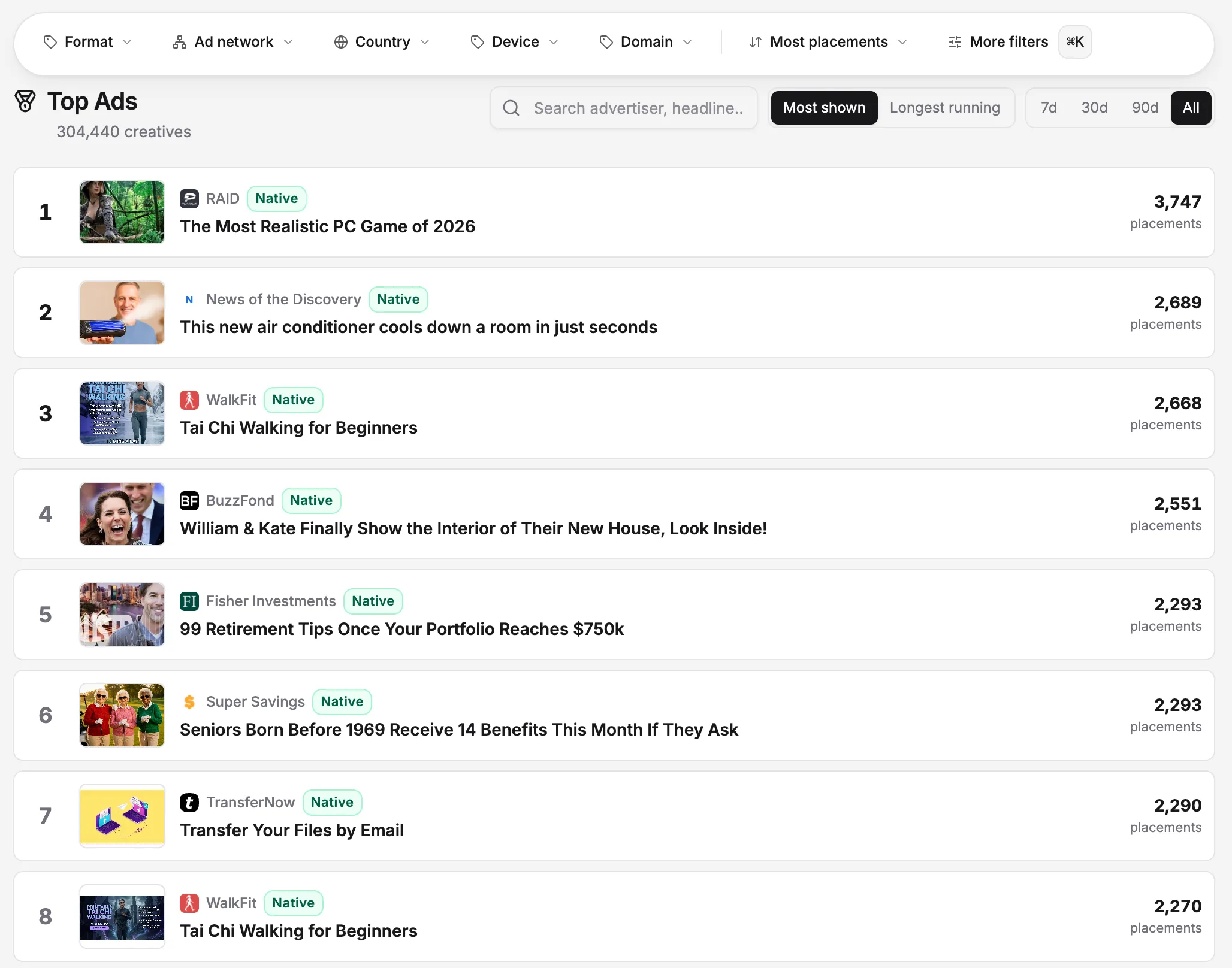
| The network | Which platform served it (Taboola, Outbrain, MGID, Revcontent, Teads, Yahoo, MSN) | See where their budget and audience attention actually go |
| Longevity and spread | How long a creative has stayed live and across how many placements | Infer winners. Ads don't run for weeks unless they convert |
| The destination | The exact landing page or pre-lander the click resolves to | Reverse-engineer the offer and funnel, not just the ad |
That last row is the one most tools skip, and it's the reason we hold 926,259 landing captures, not just creatives. Seeing the ad tells you what they're saying. Seeing the landing page tells you what they're selling and how the funnel is built. OpenAdLibrary follows each click to the advertiser's destination without clicking the live ad, so you read the pre-lander and offer page without burning the advertiser's budget or polluting their data. The full method for turning that destination into a teardown is in Reverse-Engineer a Competitor's Native Ad Funnel (Creative to Landing Page).

Use longevity as your winner filter#
New creatives are noise. Surviving creatives are signal. Sort or scan by how long each ad has been live and how many placements it covers. The Nebroo hearing-device ad above had been running 26 days when we captured it. That's not an accident. Hearing-aid and IQ-test angles are some of the longest survivors in our index. Right now the longest-running creatives we observe sit at about 28 days of continuous observation, which is the current span of our index per creative, and the brands holding that ceiling include Hidden Hearing ("Try next-gen hearing aids"), SmartAsset ("Ask a Pro: How Can I Avoid Paying Taxes on IRA Withdrawals?"), and My IQ ("The Best IQ Test 2025").
A quick honesty note so you don't mix up two different things. Affiliate lore about "90-day winners" is general industry talk, not something we've measured. What we can show you is observed continuous runtime, and a creative still live at the top of that range is a tested winner you should study. A creative that appeared yesterday is a hypothesis the advertiser hasn't validated yet. Spend your study time on the survivors.
Step 4: Know where Meta and TikTok go dark#
This is the part most "find competitor ads" guides skip, and it's where people lose hours. The platform libraries have hard limits for ordinary commercial ads.
- Meta Ad Library. Built to satisfy political-ad transparency law, not to help marketers. For ordinary commercial (non-political) ads it discloses almost nothing useful: no spend, no targeting, no audience detail. Inactive commercial ads drop out of the library relatively quickly, so a campaign your competitor paused last month may simply be gone. Meta has started showing 12-month cumulative spend on a limited and expanding set of commercial advertiser profiles, but coverage is partial.
- TikTok Commercial Content Library. As of 2026 it only covers ads delivered to users in the European Economic Area, the UK, and Switzerland. A US-targeted TikTok campaign can be entirely invisible there even while it's live.
The practical consequence: rely only on Meta and TikTok's own libraries and you'll systematically miss US-only campaigns, recently paused creatives, and the entire native and display ecosystem. Native and display transparency tools fill the gap because they capture the ad where it actually serves on a publisher's page, instead of depending on a platform to voluntarily archive it. Use both. Platform libraries for social, and a native ad spy tool for the channels they don't cover.

Here's the honest coverage picture so you set expectations correctly.
| Channel | Best source | What you can reliably see |
|---|---|---|
| Native (Taboola, Outbrain, MGID, Revcontent) | Native transparency tool | Live creatives, networks, destinations |
| Google / display | Google Ads Transparency Center + spy tools | Creatives, formats, rough activity |
| Meta (commercial) | Meta Ad Library | Creative only, little for non-political ads |
| TikTok (commercial) | TikTok CCL | EEA, UK, Switzerland delivery only |
For context on the native side: Taboola alone accounts for 157,727 of our captured creatives, Outbrain 84,252, and MGID 49,689 (OpenAdLibrary index, June 2026). The vertical mix differs by network, which is itself intel. On Taboola the top verticals are health (6,048 creatives) and finance (5,558). On Outbrain it flips toward finance (2,640) and insurance (2,615). MGID skews hard into entertainment (8,904), the IQ-test and quiz angles you've probably scrolled past. If you only check one network, you're seeing one slice of the buy.
Step 5: Save the advertiser, don't just screenshot it#
A one-off search answers "what are they running today." The real value is watching the pattern over time. Once you've found a competitor's advertiser or domain, save it so new creatives, new networks, and killed ads surface automatically instead of forcing you to re-run searches. The mechanics of building that list are in How to Build a Competitor Watchlist for Ad Monitoring, and the cadence for acting on it, what to check weekly and what to ignore, is in Competitive Intelligence for Media Buyers: A Weekly Research Routine.
The shift from ad-hoc lookups to a standing system is what separates curiosity from advantage. A repeatable loop, watchlist in and decisions out, is laid out end to end in Building a Competitive Ad Intelligence Workflow (Watchlist to Action).
A worked example#
Say you compete with a sleep-supplement brand. You search their brand name and get a handful of polished, owned-and-operated native ads. Useful, but thin. Then you search their root domain, and the list triples. The extras are affiliate creatives: aggressive "I tried this for 30 days" advertorials running on Taboola and MGID, each clicking through to a long-form pre-lander you'd never have found from the brand name alone.
The angle below is the kind of thing those affiliates run. Note the punctuation tricks (the zero-width characters in "Cognitive") designed to dodge keyword filters. That's a real captured creative, and it's a tell that an experienced affiliate is behind it, not a brand's in-house team.

From that single domain search you now know three things you didn't before:
- The angle that scales. The advertorial format, not the brand's clean product shots, is what affiliates keep running, and the longevity data confirms it.
- The networks. Budget is concentrated on Taboola and MGID, not the social channels you'd assumed.
- The funnel. Every affiliate ad routes through the same pre-lander template before the offer page, which tells you the conversion mechanism.
None of that came from the brand's own marketing. It came from reading their whole ad footprint, keyed on the domain.
What to do with what you find#
Finding the ads is step one. The discipline is acting on a few high-confidence signals instead of hoarding screenshots. A practical interpretation pass looks like this.
- Identify the survivors. Creatives running long and wide are validated. Model the structure (angle, format, offer), never the assets.
- Map the funnel. Follow the destination to the landing page and note the offer, price point, and conversion mechanism.
- Note the network mix. Where they buy reveals where the audience is responding, which informs your own placement strategy.
- Track the change. What they launch and kill over the following weeks tells you more than any single snapshot.
A word on the ethical line, because it matters. Studying a competitor's public ads is legitimate competitive intelligence. Copying their creative, trademarks, or brand identity is not. That crosses into Brand Safety and Brand Protection in Advertising territory and can land you in real trouble. Learn from the strategy, build your own assets.
Try it on your top competitor#
Pick your closest competitor, grab their root domain, and run both searches. OpenAdLibrary captures live public native ads across Taboola, Outbrain, MGID, Revcontent, Teads, MediaGo, Yahoo, and MSN, captures the real creative at full quality, identifies the ad-tech supply chain behind each placement, and follows every click to the landing page. It's an open, affordable alternative to the $80 to $400 per month legacy spy tools. The free tier lets you browse 200 ads with no card. Start free and run your first domain search.