Español
 Português (Brasil)
 Français
 Deutsch
 Italiano
 Nederlands
 Polski
 Svenska
 Türkçe
 Русский
 日本語
日本語 한국어
한국어 简体中文
简体中文 Tiếng Việt
 Bahasa Indonesia
 繁體中文
繁體中文 Čeština
 Dansk
Dansk Norsk (bokmål)
 Suomi
Suomi Ελληνικά
 Română
 Magyar
 Українська
 ไทย
ไทย हिन्दी
 العربية
 עברית
עבריתUsing ChatGPT and Claude for Native Ad Research: The MCP Workflow
Connect Claude or ChatGPT to a live native ad index over MCP and competitor research becomes a conversation: teardowns, angle mining, geo scouting and watchlist monitoring — five workflows, with the prompts.


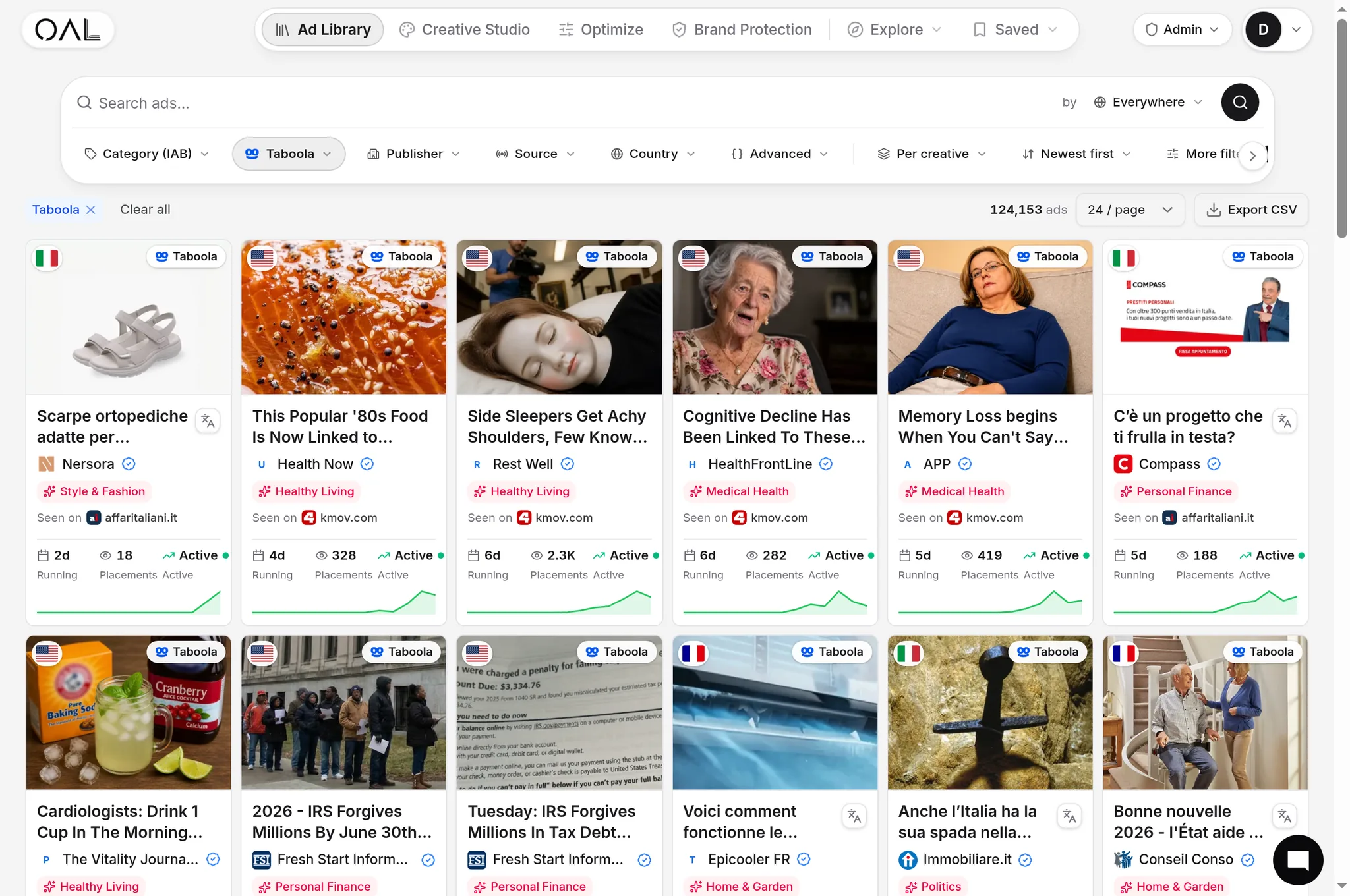
You can run serious native ad research from inside ChatGPT or Claude by connecting the assistant to an ad library over MCP (Model Context Protocol). Instead of clicking through filters for an hour, you ask a question — "find the longest-running joint-pain ads on Taboola in the US and cluster their hooks" — and the assistant chains live tool calls against an index of 725,000+ native ad creatives from 29,000+ advertisers across 49 networks (June 2026). This tutorial covers the five-minute setup and five research workflows that hold up in daily use, plus the prompt patterns that keep the model grounded in real data instead of inventing it.
What you need#
- An OpenAdLibrary account and API key. The key is issued from your account settings; the same key powers both the public data API and the MCP server. Background on why an API-first spy tool matters is in ad spy tools with an API.
- An MCP-capable client. Claude (web and desktop) supports custom connectors; ChatGPT supports MCP connectors in developer mode; Claude Code, Cursor and most agent frameworks speak MCP natively.
- Five minutes. There is nothing to install — the server is hosted at
mcp.openadlibrary.comand speaks Streamable HTTP, the current MCP transport standard.
The server exposes 43 tools over the same corpus the web app uses: ad search, brand and advertiser lookups, traced landing pages, trending and share-of-voice aggregates, publisher data, and watchlist operations. The full tool catalog and what each cluster is for is documented in Native Ad Library MCP; this article is about the workflows.
Connecting Claude and ChatGPT#
Claude: add a custom connector pointing at the hosted server URL and authenticate with your API key — claude.ai supports an OAuth-style connect flow, and clients that cannot send headers can pass the key in the URL. ChatGPT: enable developer mode, add an MCP connector with the same URL and key. Claude Code / Cursor / agents: one config entry, e.g. claude mcp add --transport http openadlibrary https://mcp.openadlibrary.com/mcp. Menu names move around as these platforms iterate, so treat the API docs page linked from your key settings as the source of truth for the current click-path.
Verify the connection with a throwaway question: "Using the OpenAdLibrary tools, how many live creatives does the index hold for Taboola?" If the assistant answers with a tool call rather than from memory, you are wired up.
Workflow 1: the competitor teardown#
Prompt: "Profile the native advertising of [brand or domain]. Which networks are they on, how many live creatives, what angles do they run, how long have their oldest ads survived, and what do their landing pages sell? Cite creative IDs."
The assistant chains a brand lookup, an ad search scoped to that advertiser, and landing-page pulls, then writes the briefing. This is the delegated version of the manual process in how to spy on competitor native ads — same logic, minutes instead of an afternoon. Ask a follow-up for the funnel: "pull the landing pages behind their three longest-running ads and describe the offer structure" (the manual method is in how to find competitor landing pages).
Workflow 2: angle mining from survivors#
The most reliable creative brief in native is "what has already survived." Ad longevity is the closest public proxy for profitability — nobody pays to run a losing ad for a month — which is the whole argument of ad longevity as a winning signal.
Prompt: "Search [vertical] ads on [network] in [geo] that have been running for 21+ days. Group them by hook type, list the recurring angles with example headlines, and draft five new headline variants that use the same psychology without copying any of them."
Paste a scoring rubric into the prompt to make the clustering sharper — the framework in how to analyze winning native ad creatives works as-is as prompt material.
Workflow 3: vertical and geo scouting#
Before entering a new geo or vertical, ask for the market map: "Compare Taboola and MGID for the home-improvement vertical in DE: creative volume, top advertisers, new entrants in the last 30 days, and which advertisers run in DE but not in US." Network-profile, share-of-voice and new-entrant tools were built for exactly this aggregation. It pairs with the expansion logic in scaling to new geos on native: find the Tier-2 market where a proven Tier-1 angle has no local competition yet.
Workflow 4: watchlist monitoring on a schedule#
Watch tools persist state between sessions: "Add these five advertisers to my watchlist", then weekly: "Check my watchlist — which ads stopped being observed this week, which crossed 21 days running, and who launched new creatives?" Run it as a scheduled agent task and Monday competitive review becomes a report you read instead of a chore you do. Building the underlying list is covered in how to build a competitor watchlist, and the full cadence in building a competitive ad intelligence workflow.
Workflow 5: the market-motion digest#
Prompt: "What changed in [vertical] native advertising in the last 14 days? New advertisers, creatives that died, angles gaining share. Cite the underlying data for each claim." This uses trending, delta-sync and new-entrant tools to produce the digest a good analyst would assemble — useful as a standing brief before creative sprints or budget reviews.
A worked example, end to end#
Here is what a real session looks like, compressed. The task: brief a creative team entering the US hearing-aid market on Taboola.
Prompt 1: "Using the OpenAdLibrary tools, find US Taboola ads about hearing loss or hearing aids running 14+ days. List advertiser, headline, days running, and creative ID." The assistant runs a scoped ad search and returns a table of survivors — say, a dozen ads across four advertisers, oldest at 37 days.
Prompt 2: "Cluster those headlines by psychological hook. Which advertiser has the most live creatives, and are they testing multiple angles or iterating one?" No new tool calls needed — the assistant works over the returned data and reports, for instance, that the volume leader runs one problem-agitation angle across many image variants, while a challenger is testing discovery-framed hooks.
Prompt 3: "Pull the landing pages behind the two longest-running creatives and describe the funnel: quiz, advertorial, or direct offer?" Now it calls landing-page tools against the creative IDs and comes back with the funnel shapes and destination domains.
Prompt 4: "Write the creative brief: dominant angle, gap angles nobody is running, funnel norm for the category, and three test hypotheses. Flag anything you could not verify with tools." Fifteen minutes, one chat, and the brief cites captured evidence — creative IDs your team can open in the ad intelligence console — rather than vibes.
That last sentence in prompt 4 matters more than it looks, which brings us to grounding.
Prompt patterns that keep the model honest#
An assistant with tools can still hallucinate around them. Five rules prevent most of it:
- Force citations to tool output. End prompts with "cite creative IDs / advertiser names from the tool results; if the tools did not return it, say so." An answer without IDs is an answer from training memory.
- Never accept numbers the tools did not return. If you asked for counts, they must come from a search or aggregate call, not the model's recollection.
- Scope before you aggregate. "All networks, all geos" questions burn calls and produce mush. Name the network, geo and window.
- Paginate deliberately. Ask for the top N by longevity or recency rather than "everything" — keyset walking exists for exports, not for chat.
- Know your quota. Free-tier API keys are deliberately tiny — enough to verify the connection and run a demo query or two a day. Sustained agent research runs on a paid plan, and heavy programmatic pulls belong on the ad intelligence API rather than chat.
The shift here is bigger than convenience. An ad library used to be a website you visit; over MCP it becomes a data source your assistant reasons over — and the buyers who wire it into their weekly routine compound the advantage every week.