English
 Español
 Português (Brasil)
 Deutsch
 Italiano
 Nederlands
 Polski
 Svenska
 Türkçe
 Русский
 日本語
日本語 한국어
한국어 简体中文
简体中文 Tiếng Việt
 Bahasa Indonesia
 繁體中文
繁體中文 Čeština
 Dansk
Dansk Norsk (bokmål)
 Suomi
Suomi Ελληνικά
 Română
 Magyar
 Українська
 ไทย
ไทย हिन्दी
 العربية
 עברית
עבריתComment les outils de veille publicitaire capturent les annonces natives (chaîne d'approvisionnement expliquée)
Les meilleurs outils de veille pour annonces natives ne capturent pas d'écrans de pages ; ils lisent le même flux JSON que le widget appelle, stockent la création en pleine qualité et suivent le clic jusqu'à la page de destination sans jamais dépenser le budget d'un annonceur. Voici exactement comment.

Imaginez un outil de veille publicitaire et la plupart des gens imaginent un robot qui charge des pages web et capture des écrans des annonces qu'il trouve. Cette image est fausse, et l'écart est toute l'histoire. Une capture d'écran ne capture que ce qu'une session navigateur a reçu à un moment donné, dans un pays donné. C'est une tranche minuscule et biaisée d'un flux qui tourne des milliers de fois par jour et se personnalise pour chaque visiteur.
Les outils qui construisent des jeux de données fiables sur les annonces natives travaillent une couche en dessous des pixels. Ils parlent le même langage machine-à-machine qu'utilise le widget d'un éditeur pour récupérer ses annonces, et ils reconstruisent tout le chemin depuis l'emplacement sur la page jusqu'à la page de destination de l'annonceur. Cet article parcourt ce chemin de bout en bout, et il s'appuie sur l'architecture réelle qu'OpenAdLibrary utilise pour le faire à grande échelle : 589 036 créations, 25 933 annonceurs et 5,4 millions d'observations publicitaires sur 42 réseaux (index OpenAdLibrary, juin 2026).
Si vous voulez savoir ce qu'il y a sous le capot d'un outil de veille pour annonces natives avant de faire confiance à ses données, ceci est pour vous.
Comment les outils de veille publicitaire capturent-ils les annonces natives ?#
Les outils de veille publicitaire capturent les annonces natives en appelant la même API de recommandation qui remplit le widget d'un éditeur, puis en lisant l'annonceur, le titre, l'image et l'URL de clic directement dans la réponse JSON. Ils stockent la création en pleine qualité, résolvent l'URL de clic hors ligne pour atteindre la page de destination et analysent la chaîne de redirections pour étiqueter chaque intermédiaire dans la chaîne d'approvisionnement. Aucune annonce en direct n'est jamais cliquée.
C'est tout le jeu en un paragraphe. Le reste détaille chaque étape, explique pourquoi les approches évidentes échouent et ce qui sépare un jeu de données superficiel d'un jeu de données profond. Pour l'introduction conceptuelle d'abord, commencez par ce qu'est réellement un outil de veille pour annonces natives et comment il diffère des bibliothèques d'annonces sociales.
La chaîne d'approvisionnement des annonces natives, saut par saut#
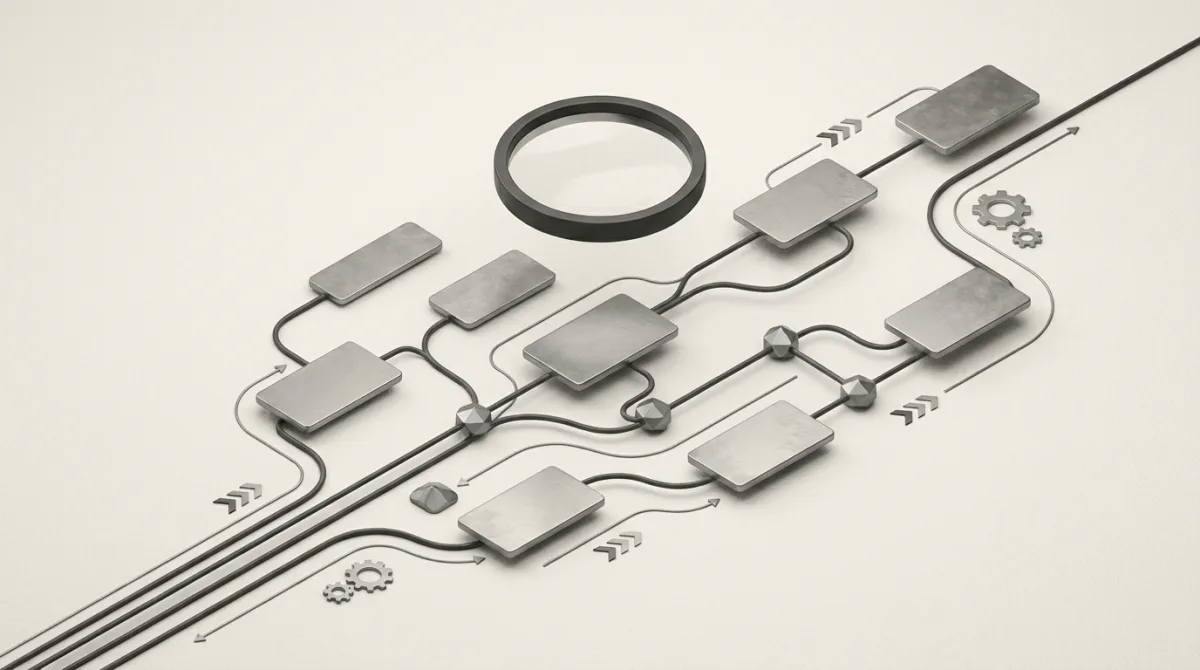
Vous ne pouvez pas capturer quelque chose que vous ne comprenez pas. Une annonce native n'est pas une image statique déposée dans une page. C'est la pointe visible d'une chaîne d'approvisionnement avec plusieurs éléments mobiles. Voici le chemin que parcourt une seule unité Taboola ou Outbrain :
- La page de l'éditeur charge un widget d'annonce native. C'est la boîte "Autour du Web" ou "Vous aimerez peut-être". Au premier rendu, c'est surtout un conteneur vide.
- Le script du widget appelle un point de terminaison de recommandations. Il s'agit d'une API JSON sur le domaine de la plateforme de demande. Elle transmet l'ID de l'éditeur, l'emplacement, la zone géographique approximative de l'utilisateur et les signaux de l'appareil.
- La plateforme de demande exécute une enchère. Dans la publicité native programmatique, les annonceurs enchérissent pour cette impression en millisecondes, et les gagnants reviennent dans la réponse.
- La réponse renvoie les annonces sous forme de données structurées. Chaque élément contient un titre, une URL d'image miniature, un nom de marque ou d'annonceur et une URL de suivi de clic.
- L'URL de clic est une redirection, pas une destination. Cliquez dessus et vous rebondissez à travers un ou plusieurs domaines de suivi et d'échange avant d'atteindre la vraie page de l'annonceur, qui est fréquemment un pré-lander ou un advertorial plutôt qu'une page produit.
La réalisation la plus utile dans l'intelligence des annonces natives : les données publicitaires que vous voulez arrivent déjà sous forme de JSON propre avant qu'un seul pixel ne soit peint. Capturer l'écran du widget rendu, c'est rétro-concevoir quelque chose que vous auriez pu simplement lire.
Chaque étape est à la fois une opportunité de capture et un problème de classification. Les étapes 2 et 4 vous donnent la création et l'annonceur. L'étape 5 vous donne la chaîne d'approvisionnement et la page de destination. Les outils diffèrent radicalement dans le nombre de ces étapes qu'ils utilisent réellement.
Récolte uniquement par API vs capture d'écran par navigateur#
Il existe deux façons fondamentalement différentes de récolter les annonces natives, et le choix a des conséquences sur le coût, la couverture et la qualité des données.
| Approche | Fonctionnement | Couverture | Coût d'exécution | Qualité de la création |
|---|---|---|---|---|
| Capture d'écran navigateur | Navigateur headless charge les pages, rend les widgets, capture les pixels | Faible : une rotation par rendu | Élevé : Chromium complet par page | Avec perte, rognée au viewport |
| Récolte uniquement par API | Requête le flux de recommandations directement, lit le JSON | Élevée : nombreuses rotations, zones géo, personas | Faible : pas besoin de navigateur | Ressource d'origine, pleine résolution |
La voie navigateur est la plus évidente, et de nombreux outils hérités ont commencé là. Elle est aussi coûteuse et superficielle. Lancer un vrai Chromium pour chaque page est lourd, lent et facile à détecter et bloquer. Pire, un rendu ne vous montre jamais que les quelques annonces servies à cette unique session. Vous échantillonnez un emplacement qui se personnalise et tourne des milliers de fois par jour et vous appelez cela un jeu de données.
La voie uniquement par API est celle qu'utilise le récolteur natif d'OpenAdLibrary. Au lieu de rendre des pages, il requête les mêmes flux de recommandations que les widgets appellent, à travers de nombreuses zones géographiques et en faisant tourner des personas d'appareil et d'identité, et lit les annonces directement. En pratique, c'est environ un ordre de grandeur moins cher par annonce que de piloter un navigateur, ce qui explique exactement pourquoi il peut fonctionner en continu et capturer bien plus de la rotation. Pas de navigateur signifie aussi pas de clic sur des annonces en direct. Les données proviennent du flux, pas d'une impression rendue.
Cette différence se voit dans les chiffres. Sur Taboola seul, l'index contient 157 727 créations, et sur Outbrain 84 252 (OpenAdLibrary, juin 2026). On n'atteint pas les six chiffres par réseau en capturant des pages une par une. Voici une annonce finance Taboola en direct tirée directement du flux, pas d'un rendu :

C'est la différence entre un outil qui vous montre une poignée d'annonces d'un concurrent et un outil qui vous montre l'étendue complète. Pour les affiliés et les acheteurs média, l'étendue est tout l'intérêt. Voyez comment les marketeurs affiliés utilisent les outils de veille natifs pour trouver des rotations à modéliser.
Capturer la création en pleine qualité#
Une fois le flux analysé, l'URL de l'image créative pointe vers la ressource originale de l'annonceur sur un CDN. Un bon récolteur récupère cette ressource directement et la stocke à sa résolution native au lieu de garder une capture d'écran rognée et réduite.
Pourquoi c'est important en pratique :
La recherche inversée d'image et la déduplication ne fonctionnent que sur la ressource originale. Les captures d'écran rognées cassent le hachage perceptuel et gonflent votre jeu de données avec des quasi-doublons.
L'analyse créative a besoin des vrais pixels. L'accroche, le visage, le texte en surimpression, le traitement couleur. On ne peut pas étudier ce qui a fait gagner un gagnant à partir d'une miniature.
La détection de réutilisation d'actifs cross-réseau dépend du fichier source. Associer la même image diffusée sur Taboola, MGID et Revcontent en même temps n'est fiable que si vous détenez l'original.
Stocker l'original signifie aussi que la création survit après la fin de la campagne et que l'URL CDN renvoie une erreur 404, ce qui explique en grande partie pourquoi une bibliothèque d'annonces a de la valeur. À travers l'index, OpenAdLibrary a conservé 926 259 captures de pages de destination liées à ces créations. La campagne meurt ; l'enregistrement, non.
Le secteur santé est celui où cela porte le plus ses fruits, car les créations sont agressives et se recyclent constamment. La santé est le troisième plus grand secteur vertical dans l'index avec 14 895 créations, derrière la finance (17 232) et l'assurance (15 629). En voici une diffusée sur Taboola pendant 26 jours d'affilée :

Suivre le clic jusqu'à la page de destination (sans cliquer)#
C'est l'étape que la plupart des outils sautent, et c'est là que vit la véritable intelligence. L'URL de clic dans le flux est une redirection de suivi. La destination derrière elle, la page d'atterrissage ou le pré-lander et l'annonceur sur le domaine duquel elle se trouve, répond à la seule question qui compte : qui diffuse réellement cela, et où envoie-t-il le trafic ?
L'approche naïve est de déclencher le clic dans un navigateur. Cela peut être enregistré comme un clic facturable sur une impression en direct et brûler un budget qui ne vous appartient pas. Inacceptable. L'approche correcte est de résoudre la chaîne de redirections hors ligne : rejouer les sauts côté serveur, généralement depuis une sortie résidentielle propre dans la zone géographique concernée, pour récupérer l'URL finale et capturer la page d'atterrissage elle-même, sans jamais déclencher un clic facturable en direct.
Bien fait, cela fait apparaître trois choses à la fois :
- Le véritable annonceur derrière un nom de marque générique dans le flux.
- Le pré-lander ou l'advertorial, la page passerelle sur laquelle comptent les acheteurs natifs, qui n'apparaît jamais dans le widget.
- La destination géo-ciblée. La même annonce route souvent vers des landers différents selon le pays, et seul un résolveur multi-géo capture cela. L'exemple ci-dessous est ciblé sur l'Australie, ce que vous manqueriez entièrement en capturant depuis une sortie américaine :

OpenAdLibrary trace chaque clic jusqu'à sa page de destination de cette manière et stocke la destination à côté de la création, de sorte qu'une création n'est jamais une image orpheline. Elle est liée à l'annonceur et au tunnel qu'elle alimente.
Classifier la chaîne d'approvisionnement ad-tech#
Capturer les sauts est une chose. Les rendre lisibles en est une autre. Entre le widget et le lander, une seule annonce peut passer par une plateforme de demande, un exchange, plusieurs domaines de suivi et un service de redirection. La classification consiste à analyser cette chaîne et à étiqueter chaque nœud.
Un système performant maintient un registre dynamique des réseaux, trackers et domaines de redirection connus, puis compare chaque saut à celui-ci pour répondre :
- Quelle plateforme de demande a servi l'annonce (Taboola, Outbrain, MGID, Revcontent, MediaGo, Yahoo, Microsoft Audience Network) ?
- Quels trackers et exchanges se trouvent dans la chaîne de redirection ?
- Qui est l'annonceur final, normalisé à travers les nombreux alias de marque derrière lesquels se cache le même acheteur ?
Coder en dur les listes de trackers est un jeu perdant. Les domaines tournent constamment, cela devient donc un jeu de taquin. Un registre qui se met à jour au fur et à mesure que de nouveaux modèles apparaissent est la seule approche qui tienne. Obtenez la chaîne d'approvisionnement correctement et vous pouvez répondre à des questions qu'une simple liste d'annonces ne peut jamais aborder : quels annonceurs se concentrent sur quels réseaux, quels trackers signalent une pile d'affiliation particulière, quels services de redirection corrèlent avec les offres les plus agressives.
Le modèle est visible dans les données. Taboola et Outbrain sont tous deux dominés par les trois mêmes secteurs verticaux, mais l'ordre s'inverse. Sur Taboola, la tête est la santé (6 048 créations), puis la finance (5 558) et l'assurance (4 303). Sur Outbrain, la finance mène (2 640), puis l'assurance (2 615), puis la santé (2 016) (OpenAdLibrary, juin 2026). Ce genre de concentration d'annonceurs par réseau est exactement ce que la classification de la chaîne d'approvisionnement existe pour révéler.
Si la terminologie est nouvelle, l'entrée du glossaire sur la chaîne d'approvisionnement publicitaire expose les rôles, et la publicité native programmatique explique l'enchère qui décide quelles annonces vous capturez en premier lieu.
Couverture, zones géo et personas : pourquoi une seule capture ne suffit pas#
Un emplacement natif est personnalisé. Les annonces qu'il sert dépendent de la zone géographique, de l'appareil, de l'heure de la journée et des intérêts inférés. Donc une capture unique, depuis une seule IP, un seul profil d'appareil, un seul moment, est un échantillon biaisé d'une rotation bien plus large.
Une récolte sérieuse traite cela comme un problème d'échantillonnage :
- Rotation géographique. Le même widget sur le même éditeur sert des annonceurs différents aux États-Unis, au Royaume-Uni, en Australie et en Allemagne. Une seule zone géo vous donne une seule tranche.
- Rotation d'appareil et d'identité. Les sessions desktop, Android et iOS, plus des personas tournantes, font apparaître une demande et des formats créatifs différents.
- Cadence. Les rotations changent tout au long de la journée, donc la capture doit être continue, pas un crawl ponctuel.
C'est aussi pourquoi la longévité et l'étendue sont les signaux de gagnant les plus honnêtes disponibles sans données internes. Vous ne pouvez pas voir les dépenses d'un concurrent, mais vous pouvez voir combien de temps une création a tourné et à quel point elle s'est répandue sur les éditeurs, les zones géo et les réseaux. Actuellement, les créations observées en continu le plus longtemps dans l'index sont à 28 jours d'observation ininterrompue. SmartAsset diffuse "Ask a Pro: How Can I Avoid Paying Taxes on IRA Withdrawals?" sur Outbrain depuis 28 jours :

Il vaut la peine d'être précis ici : 28 jours est la durée de notre fenêtre d'observation, pas une affirmation que la création a tourné exactement 28 jours et pas plus. Le mythe industriel sur les gagnants de 90 jours est une chose séparée, utile comme règle générale mais pas quelque chose que notre index mesure. Ce que nous pouvons garantir, c'est la durée observée : une annonce qui est restée en ligne sur des dizaines de placements pendant des semaines vous dit quelque chose qu'un chiffre de dépenses ne peut pas.
Ce que cela signifie pour les données que vous obtenez réellement#
Rassemblez les fils et la méthode de récolte décide directement de ce que vous pouvez faire avec le résultat.
| Capacité | Nécessite une capture au niveau du flux ? | Nécessite un suivi de clic ? | Nécessite une classification de la chaîne d'approvisionnement ? |
|---|---|---|---|
| Voir qu'une création a tourné | Oui | Non | Non |
| Identifier le véritable annonceur | Partiellement | Oui | Oui |
| Trouver la page de destination ou le pré-lander | Non | Oui | Non |
| Détecter la réutilisation d'actifs cross-réseau | Oui | Non | Oui |
| Classer les gagnants par longévité et étendue | Oui | Non | Non |
Un outil qui ne fait que des captures d'écran vous donne la première ligne. Un outil qui récolte les flux, trace les clics et classe la chaîne d'approvisionnement vous donne tout cela. C'est la différence entre une curiosité et un instrument de recherche. En plus de la capture propre, OpenAdLibrary superpose des outils qui l'utilisent : Creative Studio pour remixer ce qui fonctionne, Optimize pour agir dessus, Copy DNA pour décomposer l'angle, plus une API complète et un MCP pour que vous puissiez intégrer les données dans votre propre stack.
La tendance favorable à la transparence#
Pour toute personne pesant la légitimité de tout cela, la direction réglementaire va vers plus de données publicitaires publiques, pas moins. La loi sur les services numériques de l'UE exige désormais que les très grandes plateformes (Meta, TikTok, Google et similaires) maintiennent des dépôts publicitaires publics et interrogeables listant l'annonceur, le payeur et les dates de diffusion pour chaque annonce. Les widgets de découverte natifs ne sont pas couverts par ce mandat, mais le principe est établi : les annonces servies au public sont de plus en plus traitées comme des informations publiques. Les outils qui capturent uniquement des annonces publiques, et ne cliquent jamais sur des unités en direct d'une manière facturable, s'inscrivent confortablement dans cette tendance. (Contexte général, pas conseil juridique. Vérifiez les conditions de chaque plateforme pour votre usage spécifique.)
Conclusion#
Réduit à l'essentiel, voici comment fonctionnent les bons outils de veille publicitaire. Ils lisent le flux de recommandations au lieu de capturer l'écran de la page. Ils stockent la création originale au lieu d'un rognage. Ils résolvent le clic hors ligne pour atteindre la page de destination au lieu de déclencher un clic facturable. Et ils classifient chaque saut dans la chaîne d'approvisionnement au lieu de vous laisser une liste plate. La couverture vient de la rotation continue des zones géographiques, des appareils et des personas, et le signal de gagnant le plus fiable est la longévité et l'étendue.
Lorsque vous comparez les fournisseurs, ce sont les questions à poser. Notre analyse testée et classée des meilleurs outils de veille pour annonces natives évalue chacun précisément sur ces axes. Si le budget est la contrainte, il y a aussi un guide pour faire de la recherche d'annonces natives gratuitement.
OpenAdLibrary a construit son récolteur natif sur tous les principes ci-dessus : capture uniquement par API, créations en pleine qualité, pages de destination avec suivi de clic et registre dynamique de la chaîne d'approvisionnement. Il est ouvert et abordable plutôt que de 80 à 400 $ par mois. Commencez gratuitement et parcourez 200 annonces, sans carte de crédit requise.